
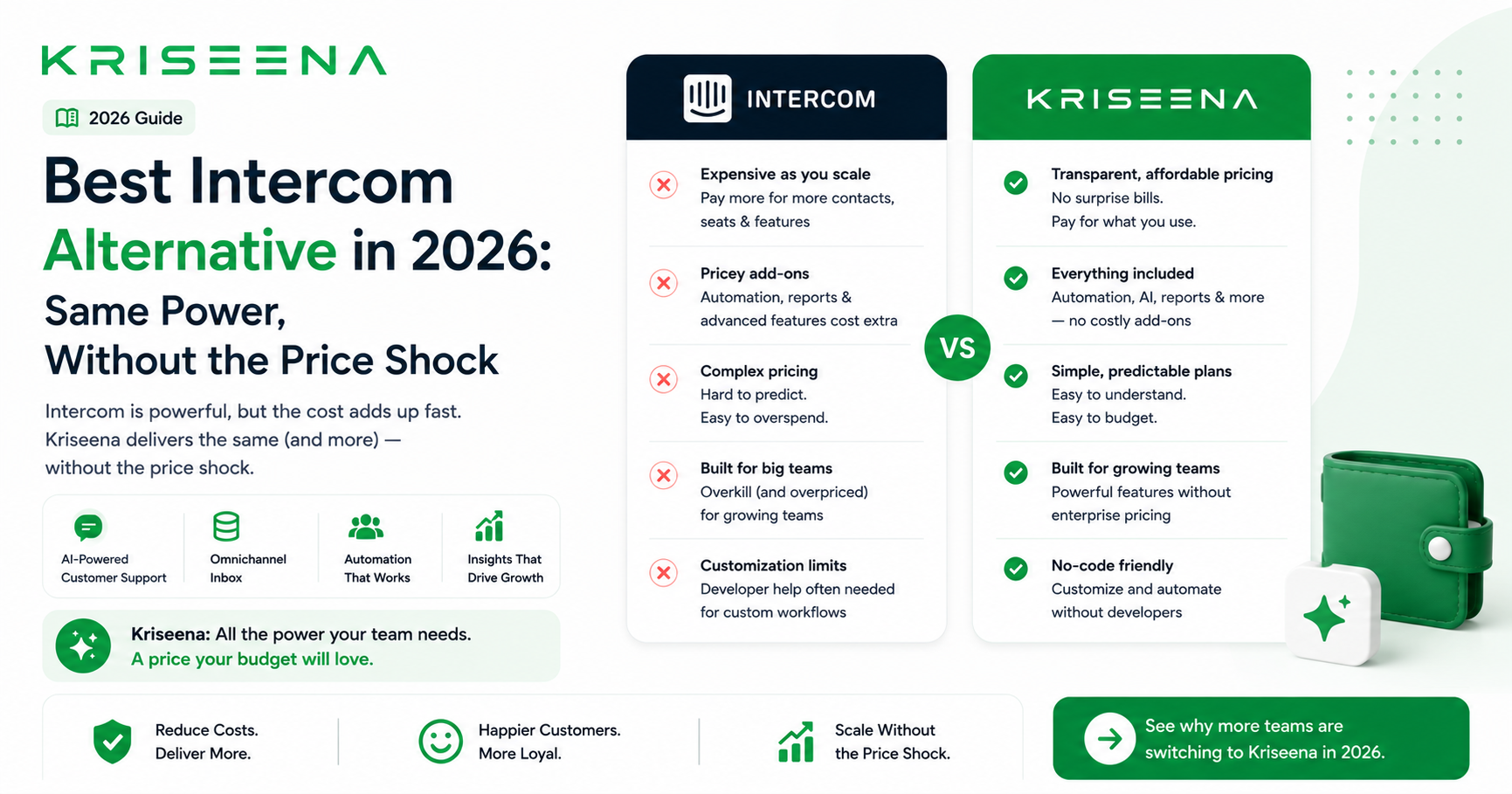
Why Teams Look for Intercom Alternatives
Intercom is one of the most recognised customer messaging platforms in the market. It has strong AI (Fin), a clean interface, and a broad feature set covering live chat, email, product tours, onboarding sequences, and proactive messaging. It is also one of the platforms teams most frequently look to replace — not because it does not work, but because the cost grows faster than the value for most business sizes.
The three most common reasons teams switch away from Intercom:
1. Pricing is hard to predict and grows fast
Intercom's pricing is notoriously difficult to calculate in advance. The base plan starts at $74/month but most of the features that make Intercom valuable — AI resolution, proactive messaging, product tours, advanced reporting — are add-ons or available only on higher tiers. A small SaaS team that started on Intercom's entry plan and added features as they grew commonly finds themselves paying $500–$1,500/month before reaching enterprise scale.
2. Most small teams use a fraction of the features
Intercom is built for companies that want to use it across the entire customer lifecycle: marketing, onboarding, support, and retention. For teams that only want customer support — an inbox, live chat, and AI — they are paying for product tours, campaigns, and lifecycle messaging they never touch. The price includes features built for a different use case.
3. Fin AI is included but expensive at scale
Intercom's Fin AI is a capable LLM-based support AI. It is included in some plans but charged at $0.99 per resolution on others — meaning costs grow directly with support volume. During a product launch or promotional period, Fin's per-resolution pricing can add hundreds of dollars to a monthly bill without warning.
What to Look for in an Intercom Alternative
Before comparing platforms, define what you actually used Intercom for. Most teams fall into one of two categories:
Support-focused teams — used Intercom primarily for live chat, inbox, and AI resolution. They need: unified inbox, AI that handles routine queries, knowledge base, e-commerce or product integration, predictable pricing.
Lifecycle-focused teams — used Intercom for support AND proactive messaging, onboarding, and product tours. They need all of the above plus outbound messaging and user journey automation.
This guide focuses primarily on support-focused alternatives. If you need the full lifecycle feature set, Intercom remains one of the few platforms that covers it all — but the alternatives below are better value if support is the primary use case.
| Must-have | Why |
|---|---|
| AI included at flat price | No per-resolution fees that spike with volume |
| Unified inbox (email + chat) | All support channels in one place |
| Knowledge base included | Powers self-serve and AI together |
| E-commerce or product integration | Live data for accurate AI replies |
| Predictable monthly pricing | No surprises during high-volume periods |
Best Intercom Alternatives
Kriseena
Best for: E-commerce and SaaS support teams of 1–25 agents who want AI included at flat pricing with no per-resolution fees.
Kriseena focuses on what most teams actually use Intercom for: handling customer queries through AI and keeping human agents in the loop for complex cases. AI is included at every plan tier — not charged per resolution. It connects natively to Shopify and WooCommerce for live order lookup, and to Gmail for email support. No product tours or lifecycle campaigns — purely support, done well.
Pricing vs Intercom:
| Intercom Essential | Kriseena Starter | |
|---|---|---|
| Monthly cost | $74/month | $49/month flat |
| AI included | Fin AI (per resolution $0.99) | Yes, all tiers, no per-resolution fee |
| E-commerce integration | Via third-party apps | Shopify + WooCommerce native |
| Knowledge base | Included | Included |
| Product tours / onboarding | Yes | No |
| Predictable pricing | No (usage-based AI) | Yes |
For pure support use cases, Kriseena costs significantly less and removes the per-resolution pricing risk entirely.
Zendesk
Best for: Teams that need enterprise-grade workflow automation, advanced SLA management, and a broad integration ecosystem.
Zendesk is the natural upgrade path from Intercom for teams that have grown past 20 agents and need more sophisticated routing and compliance features. It is not cheaper than Intercom — AI is an additional $50/agent/month add-on on top of base plan pricing — but it has a more mature ticketing system for high-volume operations.
Pricing: From $55/agent/month; AI add-on +$50/agent/month.
Strengths vs Intercom: More mature ticketing, better SLA tools, broader app marketplace. Weaknesses: AI is expensive add-on; complex configuration; over-built for small teams.
Freshdesk
Best for: Teams wanting a generous free tier to start and per-agent pricing that scales predictably.
Freshdesk's per-agent pricing model is more predictable than Intercom's usage-based AI pricing. The free tier supports up to 10 agents on basic features, making it a low-risk starting point. AI (Freddy AI) requires the Growth tier at $35/agent/month. Freshdesk lacks Intercom's proactive messaging and onboarding features but is stronger for pure ticket management.
Pricing: Free / $15–$83/agent/month.
Strengths vs Intercom: Predictable pricing, free entry tier, solid ticketing system. Weaknesses: AI requires paid tier; no proactive messaging; e-commerce integration via apps only.
Help Scout
Best for: Small SaaS teams wanting a simple, email-first shared inbox without Intercom's complexity.
Help Scout strips away the features most small teams never use and focuses on a clean shared inbox with basic live chat. It is significantly simpler to set up than Intercom and considerably cheaper. AI features are basic — Help Scout is a good fit for teams where human agents handle most queries and need an organised inbox, not full AI automation.
Pricing: From $20/user/month (2-user minimum).
Strengths vs Intercom: Simpler, faster setup, more affordable, excellent shared inbox UX. Weaknesses: Limited AI; no proactive messaging; no e-commerce integration.
Crisp
Best for: Early-stage startups wanting free live chat with basic automation.
Crisp offers a free tier with live chat, a shared inbox for two agents, and a basic knowledge base. Paid tiers add automation and AI features. It is a reasonable Intercom replacement for very early-stage teams with minimal support volume and no budget.
Pricing: Free (2 agents); Pro from $25/month; Unlimited from $95/month.
Strengths vs Intercom: Free tier, simple setup, affordable for small teams. Weaknesses: AI less capable than Intercom Fin; limited e-commerce integration; fewer advanced features.
Tidio
Best for: Small e-commerce brands wanting live chat plus AI chatbot at low cost.
Tidio combines live chat with Lyro AI (an LLM-based resolution chatbot) in one platform. It integrates with Shopify and is significantly cheaper than Intercom for small teams. The trade-off is that Lyro AI is a separate subscription on top of the base plan, and Tidio lacks Intercom's breadth for SaaS lifecycle use cases.
Pricing: Free to $39/month base; Lyro AI from $39/month additional.
Strengths vs Intercom: Much cheaper, simpler, good for Shopify. Weaknesses: AI requires additional subscription; limited SaaS features; email ticketing less robust.
Full Comparison Table
| Platform | Starting price | AI included | Pricing model | E-commerce | Setup complexity |
|---|---|---|---|---|---|
| Intercom | $74/month | Fin AI (per resolution) | Usage-based AI | Via apps | Medium |
| Kriseena | $49/month flat | All tiers, flat | Per agent, flat | Shopify + WooCommerce native | Low |
| Zendesk | $55/agent/mo | Add-on (+$50/agent) | Per agent | Via apps | High |
| Freshdesk | Free / $15/agent | Growth tier+ | Per agent | Via apps | Medium |
| Help Scout | $20/user/mo | Basic only | Per user | Limited | Low |
| Crisp | Free / $25/mo | Limited | Per workspace | Limited | Low |
| Tidio | Free / $39/mo | Add-on (Lyro) | Per agent | Shopify native | Low |
Should You Replace Intercom Entirely or Partially?
For some teams, replacing Intercom entirely is the right move. For others, splitting the use cases makes more sense.
Replace entirely if:
- You used Intercom primarily for support (inbox + live chat + AI)
- You rarely used product tours, campaigns, or outbound messaging
- Your bill has outgrown the value you receive
- You need e-commerce integration that Intercom does not provide natively
Split the use cases if:
- You actively use Intercom's proactive messaging and product tours
- Your onboarding sequences are built in Intercom and would require significant migration
- The support cost is the issue but the lifecycle features are valuable
In the split scenario, consider using a dedicated support platform (Kriseena, Help Scout, Freshdesk) for incoming customer queries, while keeping Intercom only for outbound lifecycle messaging. Many teams reduce their Intercom plan significantly by moving support volume elsewhere.
How to Migrate From Intercom
Step 1 — Export your data Go to Intercom Settings → Data → Export. Download conversations, contacts, and articles. Intercom allows full data export.
Step 2 — Migrate your knowledge base articles Your Help Center articles in Intercom are your most valuable asset — they feed your new platform's AI. Export and import them to your new platform's knowledge base. Review each for accuracy before importing.
Step 3 — Set up your new inbox and channels Connect your support email, set up live chat on your site, and configure your e-commerce integration. Test with a real query before going live.
Step 4 — Update your website widget Replace the Intercom messenger bubble with your new platform's widget. Test on all key pages — product pages, checkout, pricing — before removing Intercom entirely.
Step 5 — Run parallel for one week Keep Intercom active for open conversations. Route all new conversations to the new platform. Switch fully once no active conversations remain in Intercom.
Step 6 — Downgrade or cancel Intercom If keeping Intercom for lifecycle messaging only, downgrade to the lowest plan. If replacing entirely, cancel at the next billing date.
Key Takeaways
- Intercom's main drawbacks for small teams are usage-based AI pricing (per resolution), features built for lifecycle marketing that pure support teams pay for but never use, and costs that grow faster than value
- For pure support use cases, dedicated support platforms cost 50–80% less than Intercom with comparable or better AI for routine query resolution
- Evaluate alternatives based on: AI pricing model (flat vs per-resolution), e-commerce integration depth, and whether you actually need Intercom's lifecycle features
- Consider splitting: replace Intercom for support, keep it on the lowest plan for outbound messaging if those sequences are actively used
- Migration takes 1–2 weeks: export data, migrate KB articles, run parallel, then switch
Frequently Asked Questions
What is the best Intercom alternative? The best alternative depends on your primary use case. For e-commerce and SaaS support teams who want AI included without per-resolution fees, flat-pricing platforms with native store integrations deliver better value. For teams that need lifecycle messaging alongside support, the field narrows — most dedicated support platforms do not replicate Intercom's outbound campaign features.
Is Intercom too expensive for small businesses? For teams using Intercom purely for support (inbox, live chat, AI responses), the cost is typically higher than necessary. The $74/month entry price excludes advanced features, and Fin AI's per-resolution pricing adds unpredictable cost at scale. Small businesses handling support with a 1–5 agent team consistently find purpose-built support platforms at $49–$100/month flat deliver better ROI.
What is Intercom Fin AI? Intercom Fin is Intercom's LLM-based AI support agent. It resolves customer queries using your Help Center articles and is capable of understanding natural language. Fin is included in some Intercom plans and charged at $0.99 per resolution on others. It is one of the stronger AI agents in the help desk market, though its per-resolution pricing model makes costs harder to predict during high-volume periods.
Does Intercom work for e-commerce? Intercom works for e-commerce but lacks native Shopify or WooCommerce integration for live order lookup. E-commerce-specific queries (order status, tracking, returns) require third-party app integrations to pull order data into Intercom conversations. Platforms built specifically for e-commerce support offer this natively, enabling AI to answer WISMO queries with real order data without additional configuration.
How do I cancel Intercom and switch to another platform? Export your data from Intercom Settings before cancelling. Migrate your Help Center articles to your new platform's knowledge base. Set up your new inbox, connect your channels, and run both platforms in parallel for one week during transition. Cancel Intercom at the next billing date once all active conversations have moved to the new platform. The full migration process typically takes 1–2 weeks.

Aswathi
Content Writer, Kriseena
Aswathi specialises in SaaS product content and customer experience topics. Her writing helps e-commerce founders and support managers understand how AI fits into their existing workflows.