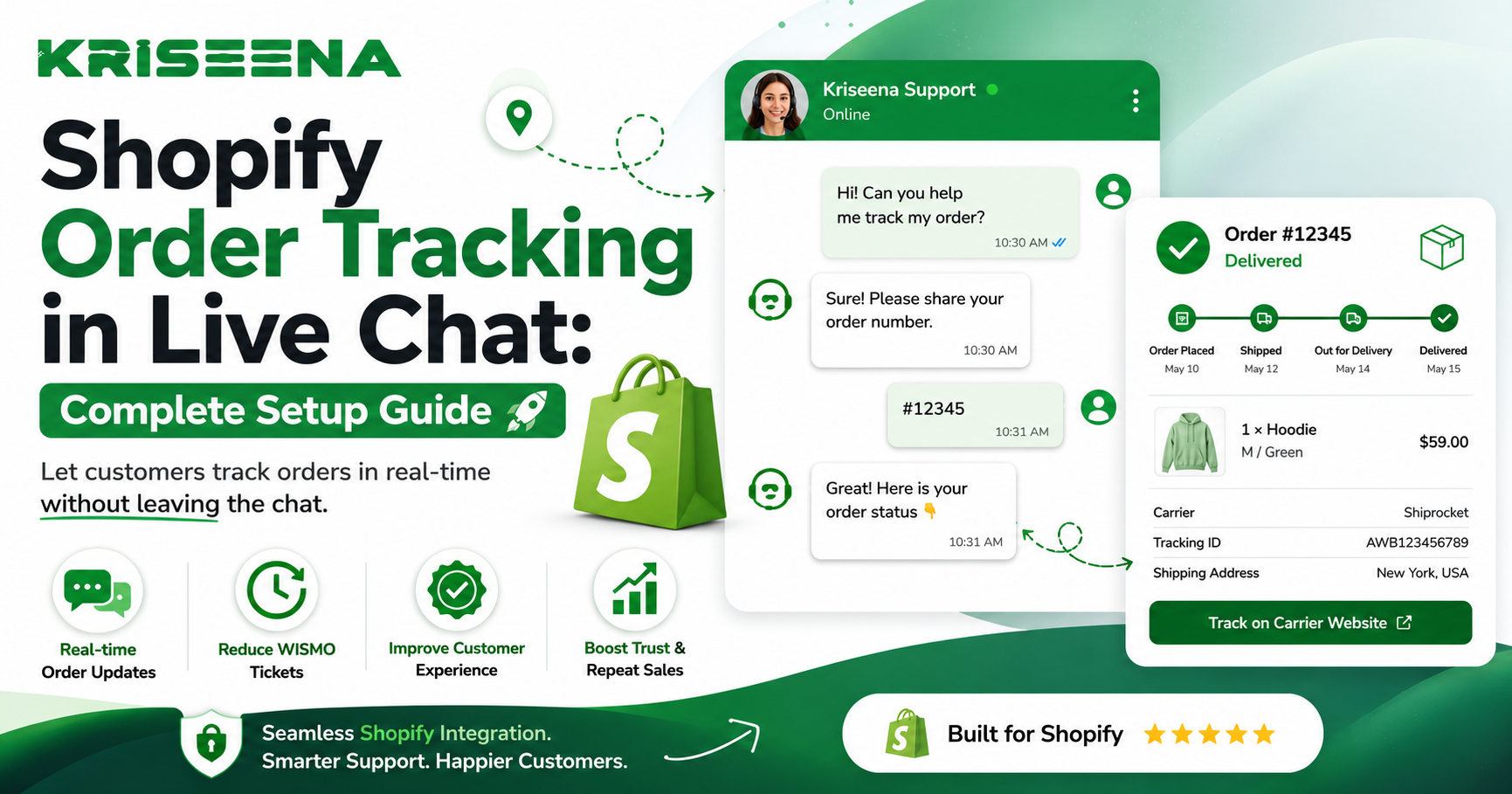
One of the most common questions every Shopify store receives is, "Where is my order?"
Whether customers contact you minutes after placing an order or several days after shipping, they expect instant answers. If your support agents have to manually search for order information every time someone starts a live chat, response times increase, support costs rise, and customer satisfaction drops.
The good news is that Shopify order tracking can be integrated directly into your live chat workflow. By giving your support team and AI assistants access to real-time order information, you can resolve most tracking questions within seconds.
This guide explains how to set up Shopify order tracking in live chat, the best practices to follow, and how AI-powered customer support can automate much of the process.
Why Order Tracking Matters in Live Chat
Order status requests account for a significant portion of customer support conversations for ecommerce businesses.
Customers typically ask questions like:
Where is my order? Has my package shipped? What's my tracking number? Why hasn't my order arrived yet? Can I change my delivery address? My tracking hasn't updated. What should I do?
If every one of these questions requires a support agent to open Shopify, search for the order, copy tracking details, and reply manually, your team quickly becomes overwhelmed.
Integrating order tracking into live chat removes these repetitive steps and creates a better customer experience.
Benefits of Live Chat Order Tracking
Adding order tracking to your live chat offers advantages for both customers and support teams.
Faster Responses
Customers receive answers immediately instead of waiting several minutes while an agent searches for order details.
Reduced Support Workload
Many tracking questions can be answered automatically, allowing agents to focus on more complex issues.
Improved Customer Satisfaction
Real-time updates build trust and reduce customer frustration during the shipping process.
More Accurate Information
Live integrations pull data directly from Shopify, reducing the risk of manual errors.
What You'll Need Before Setup
Before configuring order tracking in live chat, make sure you have:
A Shopify store Access to your store's admin dashboard A live chat solution that integrates with Shopify Access to your shipping carrier tracking information A published shipping and delivery policy
If you're using an AI-powered support platform, you'll also want to connect your knowledge base so customers receive accurate answers beyond simple tracking updates.
Step 1: Connect Your Live Chat Platform to Shopify
The first step is connecting your customer support platform with your Shopify store.
This integration allows your support system to access information such as:
Customer profiles Order history Fulfillment status Tracking numbers Shipping carrier Delivery status
Once connected, your support team can view order information without leaving the chat window.
Step 2: Enable Customer Identification
Your live chat should be able to identify customers before displaying order information.
Common identification methods include:
Email Address
Customers provide the email address used during checkout.
Order Number
Customers enter their order number for verification.
Logged-in Customer Accounts
If customers are logged into your Shopify store, many live chat platforms can automatically identify them.
Using secure verification protects customer information while keeping support efficient.
Step 3: Display Order Information Inside Live Chat
After connecting Shopify, configure your live chat to display useful order details.
Support agents should be able to see:
Order number Order date Payment status Fulfillment status Tracking number Shipping carrier Delivery estimate Customer notes
Having this information visible eliminates the need to switch between multiple browser tabs.
Step 4: Automate Common Order Tracking Questions
Automation is where live chat delivers the greatest value.
Instead of requiring an agent to answer every tracking question, your system can automatically respond when customers ask:
Where is my order? Track my shipment Order status Has my order shipped? Delivery update
The system can retrieve tracking information directly from Shopify and present it in a conversational format.
This reduces wait times while improving the overall customer experience.
Step 5: Build AI Responses Around Order Data
Order tracking should be more than simply displaying a tracking number.
AI can use order information to provide context-aware responses.
For example:
Order Processing
If an order is still being prepared:
"Your order has been received and is currently being processed. We'll send you a tracking number as soon as it ships."
Order Shipped
If fulfillment is complete:
"Your order has shipped and is currently in transit. Your tracking number is available below."
Delivered Orders
If the package has already been delivered:
"Our records indicate your order has been marked as delivered. If you haven't received it, we'd be happy to help investigate."
These responses feel more personal while reducing repetitive work for your support team.
Step 6: Add Helpful Self-Service Links
Customers appreciate having options beyond speaking with support.
Include links to:
Order tracking page Shipping policy Returns policy Delivery FAQ Contact support
Providing these resources allows customers to solve many issues independently.
Best Practices for Shopify Order Tracking Keep Shipping Policies Updated
Your AI and support team rely on accurate documentation.
Whenever shipping times or carrier policies change, update your knowledge base immediately.
Verify Tracking Information
Always pull tracking information directly from Shopify or connected carriers rather than relying on manually entered data.
Handle Delays Transparently
Shipping delays happen.
Instead of generic responses, explain:
Current order status Carrier updates Expected delivery window Next steps if the package remains delayed
Clear communication reduces unnecessary follow-up conversations.
Escalate When Necessary
Not every order issue can be resolved automatically.
Escalate conversations involving:
Lost packages Damaged deliveries Address changes after shipment Missing tracking information Refund requests
AI should support your team, not replace human judgment.
Common Setup Mistakes Not Connecting Shopify Properly
Without a complete integration, live chat cannot access real-time order information.
Always verify the connection before going live.
Ignoring Customer Verification
Displaying order details without verifying customer identity creates security risks.
Require email verification or order numbers before sharing sensitive information.
Using Generic Responses
Customers expect personalized updates.
Use dynamic responses that include current order status whenever possible.
Forgetting to Test
Before enabling live chat for customers, test multiple scenarios:
New order Processing order Shipped order Delivered order Delayed shipment Cancelled order
Testing ensures every workflow functions correctly.
How AI Improves Order Tracking
Traditional live chat still requires agents to manually respond to repetitive questions.
AI changes that by:
Understanding customer questions Retrieving order information instantly Providing accurate responses Escalating only when necessary Learning from your documentation
This reduces ticket volume while maintaining a high level of customer service.
For growing Shopify stores, AI becomes especially valuable during seasonal sales and holiday periods when support requests increase dramatically.
Why Shopify Stores Choose Kriseena
If you're looking to automate Shopify order tracking while improving customer support, Kriseena offers an AI-powered solution built specifically for Shopify and WooCommerce merchants.
By connecting directly with your store, Kriseena can access order information, answer common tracking questions, and provide customers with fast, accurate responses through live chat. It also uses your knowledge base to answer shipping, returns, and policy questions consistently.
Rather than replacing your support team, Kriseena helps reduce repetitive conversations so agents can focus on more complex customer needs.
Frequently Asked Questions Can customers track orders directly in live chat?
Yes. When your live chat platform integrates with Shopify, customers can receive tracking updates without leaving the conversation.
Is order tracking secure?
Yes, provided customers are properly verified using their email address, order number, or authenticated Shopify account before order details are displayed.
Can AI answer tracking questions automatically?
Yes. AI can retrieve order information, explain shipping status, and answer common delivery questions while escalating exceptions to human agents.
Does this work for WooCommerce too?
Many modern support platforms support both Shopify and WooCommerce with similar order tracking capabilities.
Final Thoughts
Order tracking is one of the highest-volume support tasks for Shopify stores, making it one of the best opportunities for automation. By integrating Shopify with your live chat platform, you can provide customers with instant, accurate updates while significantly reducing the workload on your support team.
The key is combining real-time Shopify data with intelligent automation. When customers receive personalized tracking information in seconds instead of waiting for manual replies, everyone benefits. Your customers enjoy a smoother support experience, and your team has more time to handle conversations that require human expertise.
Ready to Improve Your Shopify Customer Support?
If you're looking for an AI-powered customer support platform that integrates with Shopify and WooCommerce, visit https://kriseena.com to see how Kriseena can automate order tracking, answer customer questions, and help your support team deliver faster, more consistent service.