
Running customer support for a Shopify store is relatively simple when you're processing 20 orders a day.
You can answer emails yourself.
Track orders manually.
Respond to social media messages when they arrive.
But as your store grows, support becomes more complicated.
Customers contact you through:
Email Live chat WhatsApp Instagram Facebook Contact forms
Orders increase.
Returns become more frequent.
Your support team expands.
Suddenly, you're juggling five different tools just to answer a single customer question.
That's where a well-designed customer support tech stack makes the difference.
Instead of adding more software every time a new problem appears, growing Shopify stores build a technology stack that keeps support fast, organized, and scalable.
In this guide, we'll break down the essential tools every Shopify merchant needs, how they fit together, and what to look for when evaluating support software.
What Is a Customer Support Tech Stack?
A customer support tech stack is the collection of software your business uses to deliver customer service.
Rather than relying on a single application, most support operations combine multiple tools that work together.
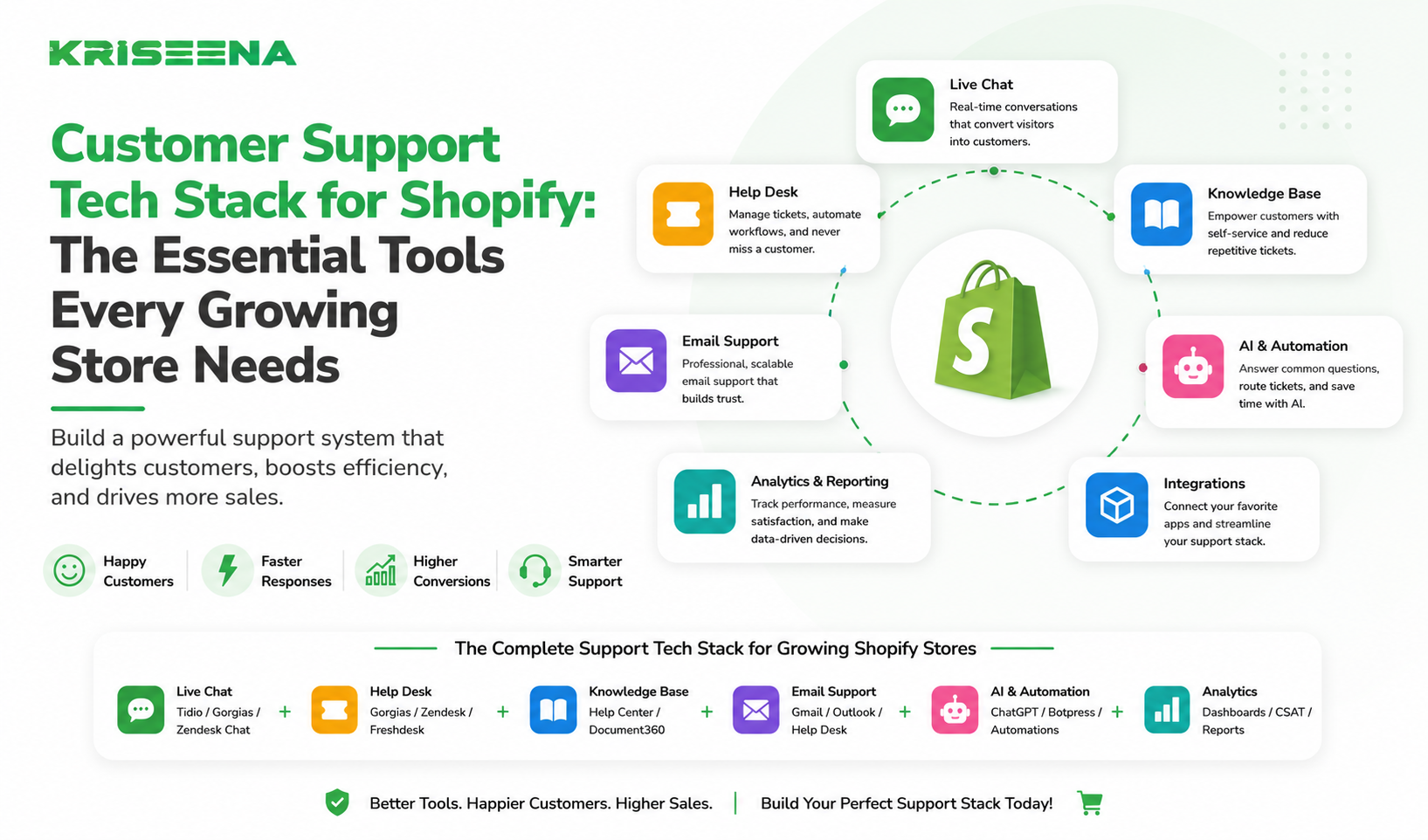
A complete support stack typically includes:
Help desk software Shared inbox AI support assistant Live chat Knowledge base Order management integration Analytics and reporting Customer communication channels
The goal isn't to use as many tools as possible.
It's to create a support workflow where information flows seamlessly and agents don't waste time switching between systems.
Why Shopify Stores Outgrow Basic Support Tools
Many Shopify stores begin with nothing more than Gmail.
Eventually, that approach stops working.
Common signs include:
Customers receiving duplicate replies Missed emails Slow response times Difficulty tracking conversations No visibility across support channels
As order volume increases, manual processes become bottlenecks.
For example:
A customer emails asking where their package is.
The support agent then:
Opens Shopify. Searches for the customer. Finds the order. Opens the shipping provider. Copies tracking information. Returns to email. Writes the response.
Repeat this hundreds of times each week and productivity drops significantly.
The right support stack eliminates much of this manual work.
The Eight Essential Tools Every Shopify Support Team Needs
- Help Desk Software
A help desk acts as the central hub for customer support.
Instead of managing conversations across multiple inboxes, every interaction appears in one place.
Core capabilities include:
Ticket management Assignments Internal notes Conversation history Customer profiles Team collaboration
Without a help desk, scaling support becomes difficult.
- Shared Inbox
Customers contact businesses through multiple channels.
Without a shared inbox, messages become scattered across individual accounts.
A shared inbox centralizes conversations from:
Email Contact forms Social messaging Live chat WhatsApp
Benefits include:
No duplicate replies Better visibility Easier collaboration Faster handoffs Consistent customer history 3. AI Customer Support
AI has become one of the most valuable additions to modern support stacks.
Instead of answering every question manually, AI can respond instantly to repetitive inquiries.
Examples include:
Order tracking Shipping questions Return policies Product FAQs Business hours Store policies
Rather than replacing agents, AI reduces repetitive work so teams can focus on complex conversations.
- Live Chat
Live chat remains one of the fastest ways to help customers during the buying process.
It is particularly valuable for:
Product recommendations Sizing questions Shipping concerns Checkout issues Payment questions
When integrated with your support platform, chat conversations become part of the customer's complete history.
- Knowledge Base
The best support ticket is the one that never gets created.
A searchable knowledge base allows customers to find answers without contacting support.
Essential sections include:
Shipping Returns Refunds Payments Product guides Account management
A strong knowledge base reduces ticket volume while improving customer satisfaction.
- Shopify Integration
Your support platform should connect directly with Shopify.
Agents shouldn't have to switch tabs to answer basic questions.
Look for integrations that display:
Order history Shipping status Customer information Products purchased Payment status Return eligibility
This significantly reduces handling time.
- Analytics and Reporting
Support cannot improve without measurement.
Your reporting tools should track metrics such as:
Ticket volume First response time Resolution time Customer satisfaction Channel performance Agent workload
These insights help identify bottlenecks before they affect customers.
- Automation Tools
Automation connects everything together.
Common workflows include:
Routing tickets Assigning conversations Sending automatic acknowledgements Escalating urgent requests Closing inactive tickets Following up after resolution
Automation ensures routine tasks happen consistently without manual intervention.
An Example Shopify Support Tech Stack
Here's what a modern support stack might look like:
Function Purpose Help Desk Manage all customer conversations Shared Inbox Centralize communication channels AI Assistant Resolve repetitive questions automatically Shopify Integration Access order data instantly Knowledge Base Enable customer self-service Live Chat Support pre-purchase conversations Analytics Measure performance and identify trends Automation Engine Route, prioritize, and streamline workflows
Notice that each tool solves a different problem while supporting the overall customer experience.
Common Mistakes When Building a Support Stack Buying Too Many Tools
More software doesn't always improve support.
In fact, too many disconnected tools often create additional complexity.
Start with the essentials.
Add new capabilities only when there's a clear operational need.
Ignoring Integrations
The best individual software can still create poor workflows if it doesn't integrate with the rest of your stack.
Agents shouldn't need to manually copy information between platforms.
Look for tools that connect with:
Shopify Email Messaging channels Knowledge bases Customer data Prioritizing Features Over Workflows
Businesses often compare software using long feature checklists.
A better question is:
"How many clicks does it take an agent to solve a customer problem?"
Efficient workflows usually matter more than having hundreds of features.
Forgetting Scalability
Today's support needs won't be the same a year from now.
Choose tools that can support:
Additional agents More communication channels Increased order volume Expanded automation Growing knowledge bases
Replacing your entire support stack later is far more expensive than choosing scalable software from the beginning.
When Is It Time to Upgrade Your Support Stack?
Many Shopify businesses wait too long before improving their support systems.
Warning signs include:
Agents constantly switching between tabs Customers waiting longer for replies Duplicate responses from different team members Growing support costs Missed conversations Difficulty measuring performance Increasing ticket backlogs
If several of these problems sound familiar, your current stack may be limiting your team's efficiency.
Choosing the Right Support Platform
When evaluating customer support software, consider these questions:
Does it integrate with Shopify?
Agents should access order information without leaving the support platform.
Can it automate repetitive work?
Look for AI-powered responses, workflows, and routing rules that reduce manual effort.
Does it support multiple channels?
Customers expect to reach businesses through email, chat, and messaging apps.
Managing these channels from one place simplifies operations.
Is reporting comprehensive?
The platform should provide actionable insights rather than basic ticket counts.
Will it scale with your business?
The right solution should continue supporting your business as order volume, team size, and customer expectations grow.
Conclusion
A customer support tech stack isn't about collecting software.
It's about creating a support operation that works efficiently as your Shopify store grows.
The right combination of help desk software, shared inbox, AI, knowledge base, automation, and Shopify integration helps teams respond faster, reduce repetitive work, and deliver a consistently better customer experience.
Before investing in another standalone tool, step back and evaluate your overall support ecosystem. Eliminating unnecessary complexity often delivers greater improvements than adding more software.
If you're looking for a platform that combines AI-powered customer support, Shopify integration, shared inbox capabilities, automation, and knowledge base-driven responses in one solution, Kriseena is built specifically for growing Shopify and WooCommerce stores. It connects to your live order data, automates repetitive customer questions, and helps your team scale without constantly adding headcount.
Start your 14-day free trial today at https://kriseena.com.

Amrutha Suresh
Content Writer, Kriseena
Amrutha writes about AI customer support, e-commerce operations, and help desk best practices. She covers practical guides for support teams looking to scale without growing headcount.