
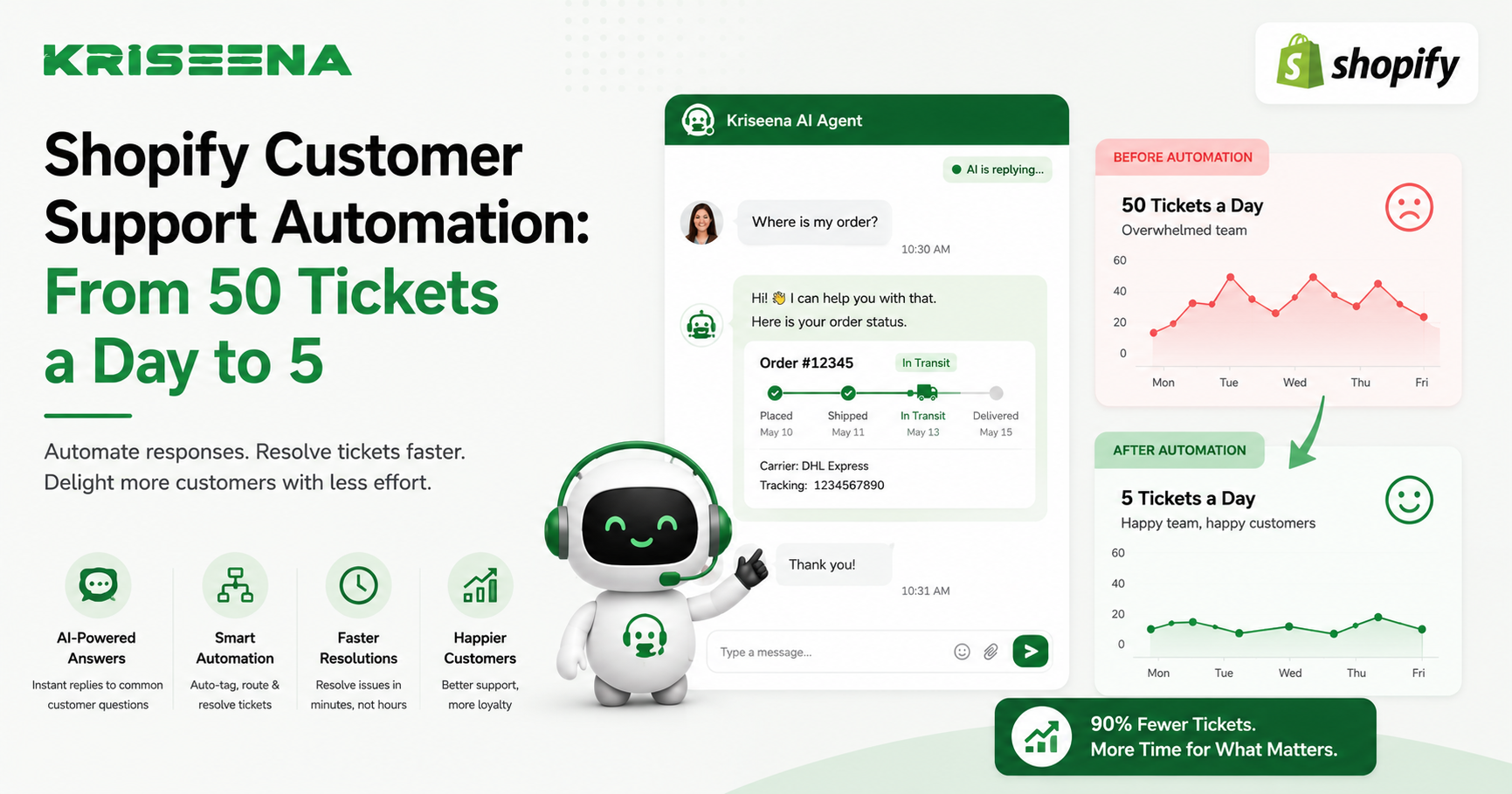
For many Shopify store owners, customer support starts out simple. A few emails each day are easy to manage, and replying personally to every customer helps build trust.
But as your store grows, so does your support workload.
What begins as five or ten daily inquiries can quickly become fifty or more. Questions about order tracking, shipping, returns, refunds, discounts, and product availability begin consuming hours of your team's time. Hiring more support agents may seem like the only solution, but it isn't always the most efficient one.
Customer support automation powered by AI allows Shopify merchants to reduce repetitive tickets dramatically while maintaining a high level of customer satisfaction. Many businesses find that the majority of their daily inquiries are repetitive and can be resolved automatically, allowing human agents to focus on the conversations that truly need their attention.
In this guide, you'll learn how Shopify customer support automation works, which support tasks can be automated, and how businesses can reduce repetitive tickets from dozens each day to just a handful of complex cases.
Why Shopify Support Tickets Grow So Quickly
As your order volume increases, customer inquiries naturally increase alongside it.
Some of the most common support questions include:
Where is my order? When will my package arrive? Can I return my purchase? Has my refund been processed? Do you ship internationally? Is this product available in another size?
For many Shopify stores, these repetitive questions account for most incoming support requests.
Without automation, agents spend the majority of their day answering the same questions repeatedly.
The Hidden Cost of Manual Support
Manual support affects more than just your team's workload.
It can lead to:
Longer response times Slower ticket resolution Increased staffing requirements Inconsistent answers Lower customer satisfaction Higher operational costs
As your business grows, scaling purely through additional support agents becomes increasingly difficult.
Automation helps solve this problem without sacrificing service quality.
What Is Shopify Customer Support Automation?
Customer support automation uses AI and predefined workflows to answer customer questions, retrieve order information, and complete repetitive support tasks automatically.
Instead of requiring an agent for every conversation, automation handles routine inquiries instantly while forwarding more complex issues to your support team.
The goal isn't to replace human agents.
The goal is to eliminate repetitive work so agents can spend more time solving meaningful customer problems.
Which Shopify Support Tasks Can Be Automated?
Not every conversation should be automated, but many can.
Order Tracking
Order tracking is often the largest category of support tickets.
AI can:
Retrieve tracking information Display shipment status Share delivery estimates Explain tracking updates
Customers receive answers immediately without waiting for an agent.
Shipping Questions
AI can answer questions such as:
Shipping times Delivery options International shipping Processing times Shipping costs
All responses are based on your documented shipping policy.
Returns and Refunds
Automation works well for:
Return eligibility Return instructions Refund timelines Exchange policies Return shipping information
Only exceptional cases require human review.
Product Questions
AI can answer common pre-purchase questions including:
Product specifications Size guides Materials Compatibility Availability
This improves both customer experience and conversion rates.
Frequently Asked Questions
Your AI assistant can answer unlimited variations of questions based on your knowledge base.
Examples include:
Payment methods Gift cards Warranty information Store policies Contact details Building an Automation Workflow
Reducing ticket volume requires more than simply adding a chatbot.
Successful automation follows a structured process.
Step 1: Analyze Existing Tickets
Review recent conversations and identify recurring topics.
Most stores discover that a small number of question categories generate a large percentage of support requests.
Step 2: Create a Comprehensive Knowledge Base
Document:
Shipping policies Return policies Refund procedures Product information Delivery timelines Frequently asked questions
Accurate documentation produces accurate AI responses.
Step 3: Connect Shopify
Your AI platform should integrate directly with Shopify.
This enables access to:
Customer information Order history Tracking numbers Fulfillment status Product details
Context allows AI to deliver personalized responses instead of generic answers.
Step 4: Automate Repetitive Conversations
Configure automation for your most common support requests first.
Examples include:
Order tracking Shipping questions Return eligibility Refund status Product availability
Start small and expand automation gradually.
Step 5: Escalate Complex Conversations
Not every conversation should remain with AI.
Automatically transfer customers to support agents when conversations involve:
Damaged products Lost shipments Fraud concerns Warranty disputes Technical issues Custom order requests
Human expertise remains essential for these situations.
Best Practices for Successful Automation Keep Your Knowledge Base Updated
Whenever store policies change, update your documentation immediately.
Outdated information leads to incorrect customer responses.
Personalize Every Conversation
AI should reference:
Customer name Order details Purchase history Shipping status
Personalized responses create a more natural customer experience.
Monitor Performance
Track metrics such as:
Ticket volume First response time Resolution time AI resolution rate Customer satisfaction
Review these regularly to improve automation performance.
Continue Improving
Analyze conversations that required escalation.
Many of these reveal opportunities for future automation.
Common Mistakes to Avoid Trying to Automate Everything
Automation works best for repetitive questions.
Complex customer situations should always have access to human support.
Using Poor Documentation
AI cannot provide accurate answers if your knowledge base is incomplete or outdated.
Invest time in creating clear documentation before launching automation.
Ignoring Customer Experience
Customers should always know when they can speak with a human agent.
Easy escalation builds trust.
Forgetting Seasonal Changes
Holiday sales often introduce new shipping timelines, promotions, and return policies.
Update AI documentation before major shopping events.
How AI Reduces Daily Ticket Volume
Imagine a Shopify store receiving approximately 50 customer inquiries each day.
Many conversations involve:
Order tracking Shipping updates Return policies Refund questions Product information
These repetitive requests can often be answered automatically using AI.
Instead of creating individual support tickets, customers receive immediate responses through live chat or a shared inbox. Human agents then focus on the smaller number of conversations involving unique requests, exceptions, or complex issues.
While every business is different, merchants who automate their most common support workflows typically see a significant reduction in repetitive tickets, faster response times, and a more efficient support operation.
Why Kriseena Is Built for Shopify Automation
Kriseena is designed specifically for Shopify and WooCommerce stores that want to automate customer support without losing the personal touch.
By connecting directly with your store, Kriseena can access order information, understand your knowledge base, and answer repetitive questions about shipping, returns, refunds, product details, and order tracking. When a conversation requires human expertise, it can be seamlessly handed over to your support team.
This AI-first approach helps ecommerce businesses reduce repetitive support work while giving customers faster, more consistent answers.
Frequently Asked Questions Can AI answer customer questions accurately?
Yes. When connected to Shopify and trained on your knowledge base, AI can provide accurate responses to common customer inquiries.
Will automation replace my support team?
No. Automation is designed to handle repetitive conversations, allowing support agents to focus on complex customer issues.
What types of questions should be automated?
Order tracking, shipping information, returns, refunds, product details, and frequently asked questions are among the best candidates for automation.
How long does implementation take?
Most ecommerce-focused AI support platforms can be connected to Shopify and configured in a relatively short time, with additional improvements made as your knowledge base grows.
Final Thoughts
Customer support doesn't have to grow at the same pace as your order volume. By automating repetitive conversations, Shopify merchants can dramatically reduce ticket volume, improve response times, and create a better experience for both customers and support teams.
The biggest gains come from identifying repetitive questions, building a strong knowledge base, and combining AI with real-time Shopify data. Human agents remain available for complex situations, while AI handles routine inquiries quickly and consistently. The result is a scalable support operation that keeps pace with your business without overwhelming your team.
Ready to Automate Your Shopify Customer Support?
If you're looking for an AI-powered customer support platform built specifically for Shopify and WooCommerce, visit https://kriseena.com to discover how Kriseena can automate repetitive customer conversations, reduce support workload, and help your team deliver faster, more efficient customer service.

Amrutha Suresh
Content Writer, Kriseena
Amrutha writes about AI customer support, e-commerce operations, and help desk best practices. She covers practical guides for support teams looking to scale without growing headcount.