
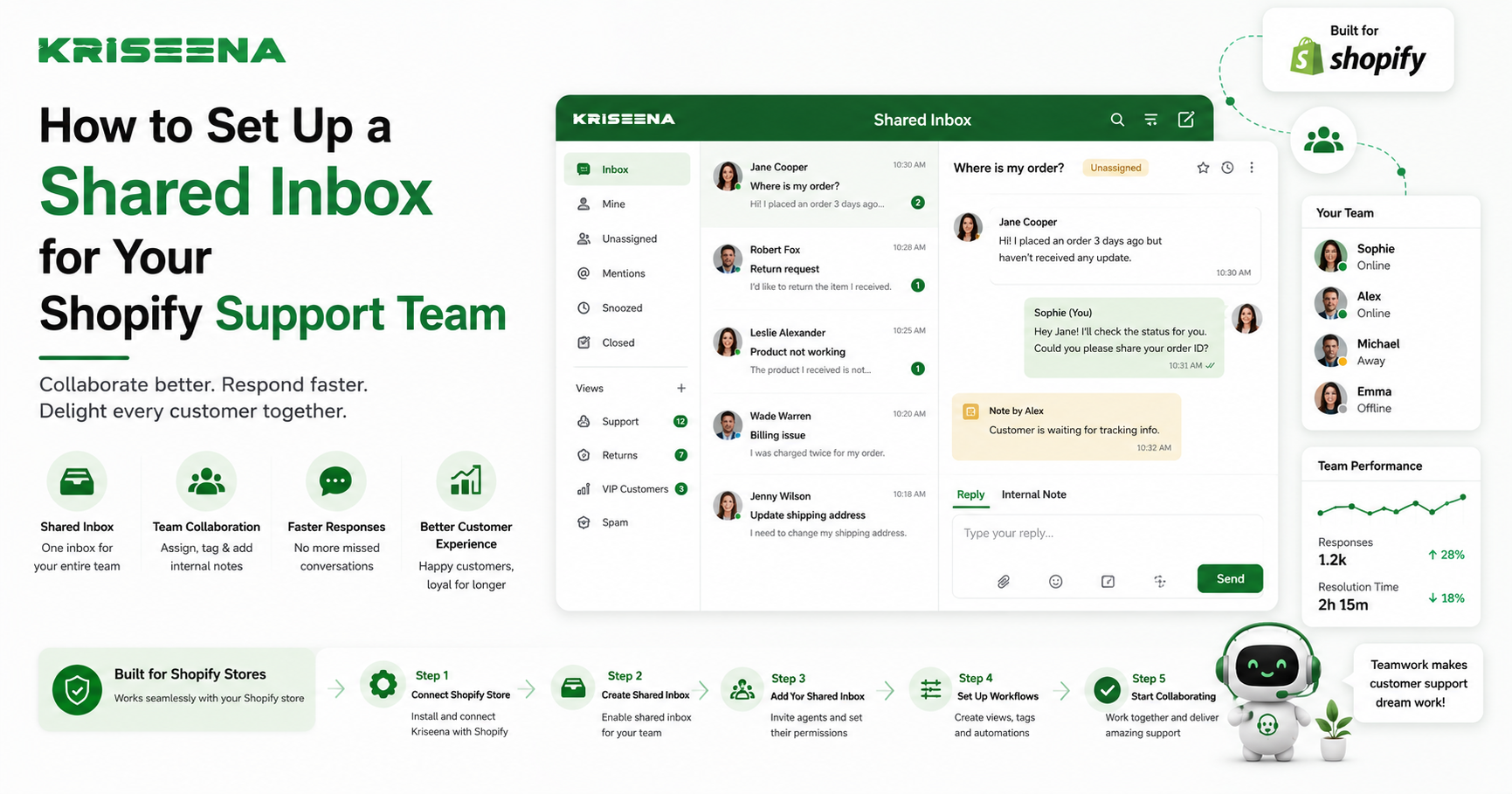
As your Shopify store grows, customer inquiries quickly become more difficult to manage. Emails arrive in multiple inboxes, live chat conversations are handled by different team members, and customers often receive duplicate or delayed responses because agents don't have visibility into each other's work.
A shared inbox solves this problem by bringing all customer conversations into one centralized workspace where your entire support team can collaborate efficiently.
Combined with AI-powered automation, a shared inbox becomes much more than a communication tool. It helps reduce response times, prevent duplicate work, and deliver a consistent customer experience across every support channel.
In this guide, you'll learn how to set up a shared inbox for your Shopify support team, the features you should look for, and the best practices for managing customer conversations at scale.
What Is a Shared Inbox?
A shared inbox is a centralized workspace where multiple support agents can manage customer conversations from different communication channels.
Instead of each team member using separate email accounts or chat tools, everyone works from a single dashboard.
A shared inbox typically combines:
Support emails Live chat conversations Contact form submissions Social messaging Customer history Shopify order information
This gives every support agent the context they need without switching between multiple applications.
Why Shopify Stores Need a Shared Inbox
As order volume increases, so do customer questions.
Common support requests include:
Where is my order? Can I change my shipping address? I'd like to return my purchase. When will my refund arrive? Is this product back in stock?
Without a shared inbox, multiple agents may accidentally respond to the same customer or important conversations may go unanswered.
A centralized system keeps your support process organized and improves team collaboration.
Benefits of Using a Shared Inbox Eliminate Duplicate Responses
Every team member can see who is working on a conversation, preventing multiple agents from replying to the same customer.
Faster Response Times
Conversations are assigned quickly, reducing customer wait times.
Better Collaboration
Agents can leave internal notes, ask teammates for help, and transfer conversations without losing context.
Complete Customer History
Support agents can view previous conversations alongside order information, making it easier to provide personalized assistance.
Improved Accountability
Managers can monitor workloads, response times, and unresolved conversations from a single dashboard.
What You Need Before Setup
Before creating your shared inbox, gather the following:
Your Shopify store Support email account Live chat platform Customer support team members Access to your Shopify admin Documentation for your support policies
Planning your workflow before setup helps avoid unnecessary changes later.
Step 1: Connect Your Support Channels
Start by connecting every customer communication channel.
This may include:
Support email Live chat Website contact forms Social messaging platforms
Centralizing conversations ensures your team never misses an inquiry.
Step 2: Integrate Shopify
A shared inbox becomes much more powerful when connected directly to Shopify.
Agents should be able to view:
Order history Customer profiles Shipping status Tracking numbers Products purchased Previous support conversations
This eliminates the need to constantly switch between your inbox and Shopify admin.
Step 3: Organize Conversations
Create a clear structure for incoming conversations.
Many support teams organize tickets by:
Order Support
Questions about shipping, tracking, and delivery.
Returns and Refunds
Requests related to exchanges, refunds, or return eligibility.
Product Questions
Pre-purchase inquiries and product recommendations.
Technical Support
Issues involving checkout, accounts, or website functionality.
Organizing conversations improves routing and reporting.
Step 4: Assign Team Members
Determine how conversations will be assigned.
Common approaches include:
Round Robin
Conversations are distributed evenly among available agents.
Skill-Based Assignment
Specialized agents receive conversations matching their expertise.
Manual Assignment
Managers assign conversations individually.
Choose the method that best fits your team's size and workflow.
Step 5: Create Internal Notes
Internal notes allow agents to collaborate without customers seeing the conversation.
Examples include:
Refund approved Customer requested follow-up tomorrow Awaiting warehouse confirmation VIP customer
Good internal communication reduces misunderstandings and duplicate work.
Step 6: Build Saved Replies
Many customer questions repeat daily.
Create reusable responses for:
Order tracking Shipping updates Return instructions Refund timelines Product availability Store policies
Saved replies improve consistency and reduce response time.
Step 7: Add AI Automation
A shared inbox becomes significantly more efficient when AI handles repetitive customer questions.
Examples include:
Order tracking requests Shipping policy questions Return eligibility Refund status Frequently asked questions
Instead of creating a ticket for every inquiry, AI can answer common questions automatically while forwarding more complex conversations to human agents.
Best Practices for Managing a Shared Inbox Define Ownership Clearly
Every conversation should have an assigned owner.
This prevents confusion and ensures accountability.
Use Conversation Tags
Tags help organize conversations for reporting and routing.
Examples include:
Shipping Refund Exchange Product Question High Priority VIP Customer Establish Response Standards
Create internal guidelines covering:
Tone of voice Response times Escalation procedures Refund approvals Return handling
Consistency improves customer trust.
Monitor Performance
Track important support metrics including:
First response time Resolution time Conversation volume Customer satisfaction Reopened conversations
Regular reporting helps identify opportunities for improvement.
Common Mistakes to Avoid Too Many Shared Mailboxes
Using separate inboxes for different channels defeats the purpose of centralization.
Bring everything into one workspace whenever possible.
Poor Conversation Assignment
Without clear ownership, conversations can easily be overlooked.
Use automatic assignments or clear internal processes.
No Internal Documentation
Support agents need consistent guidance.
Document:
Return policies Shipping procedures Refund rules Escalation workflows Ignoring Automation
Many repetitive conversations can be handled automatically.
Allow AI to manage routine inquiries so agents can focus on more valuable customer interactions.
How AI Improves a Shared Inbox
AI transforms a shared inbox from a communication hub into an intelligent support system.
Instead of simply organizing conversations, AI can:
Answer common customer questions Retrieve Shopify order information Suggest responses for agents Classify conversations automatically Prioritize urgent requests Escalate complex issues
This reduces manual work while maintaining fast, accurate customer support.
Why Kriseena Is a Great Fit for Shopify Support Teams
For Shopify and WooCommerce merchants, Kriseena combines a shared inbox with AI-powered customer support designed specifically for ecommerce businesses.
By connecting directly to your store, Kriseena gives support agents access to customer orders, shipping information, and conversation history from one place. Its AI can answer repetitive questions about order tracking, returns, shipping policies, and refunds while routing more complex issues to your team.
This combination of centralized communication and intelligent automation helps support teams stay organized, reduce response times, and deliver a more consistent customer experience as their business grows.
Frequently Asked Questions What is the biggest advantage of a shared inbox?
A shared inbox centralizes customer conversations, allowing multiple agents to collaborate without duplicating work or missing messages.
Can a shared inbox connect with Shopify?
Yes. Many ecommerce support platforms integrate directly with Shopify to display customer and order information alongside conversations.
Should every conversation be assigned?
Yes. Assigning ownership improves accountability and ensures every customer receives a timely response.
Can AI work inside a shared inbox?
Yes. AI can automatically answer repetitive questions, classify conversations, and assist agents while allowing humans to manage more complex cases.
Final Thoughts
A shared inbox is one of the most effective ways to improve customer support for a growing Shopify store. By bringing every conversation into a single workspace, your team can collaborate more efficiently, reduce duplicate responses, and deliver faster service.
When combined with AI automation, a shared inbox becomes even more powerful. Routine questions can be resolved instantly while support agents focus on complex customer issues that require personal attention. The result is a more organized support operation, happier customers, and a team that's better equipped to scale alongside your business.
Ready to Modernize Your Shopify Support?
If you're looking for an AI-powered shared inbox built specifically for Shopify and WooCommerce stores, visit https://kriseena.com to discover how Kriseena can centralize customer conversations, automate repetitive support requests, and help your team deliver exceptional customer service.

Amrutha Suresh
Content Writer, Kriseena
Amrutha writes about AI customer support, e-commerce operations, and help desk best practices. She covers practical guides for support teams looking to scale without growing headcount.