
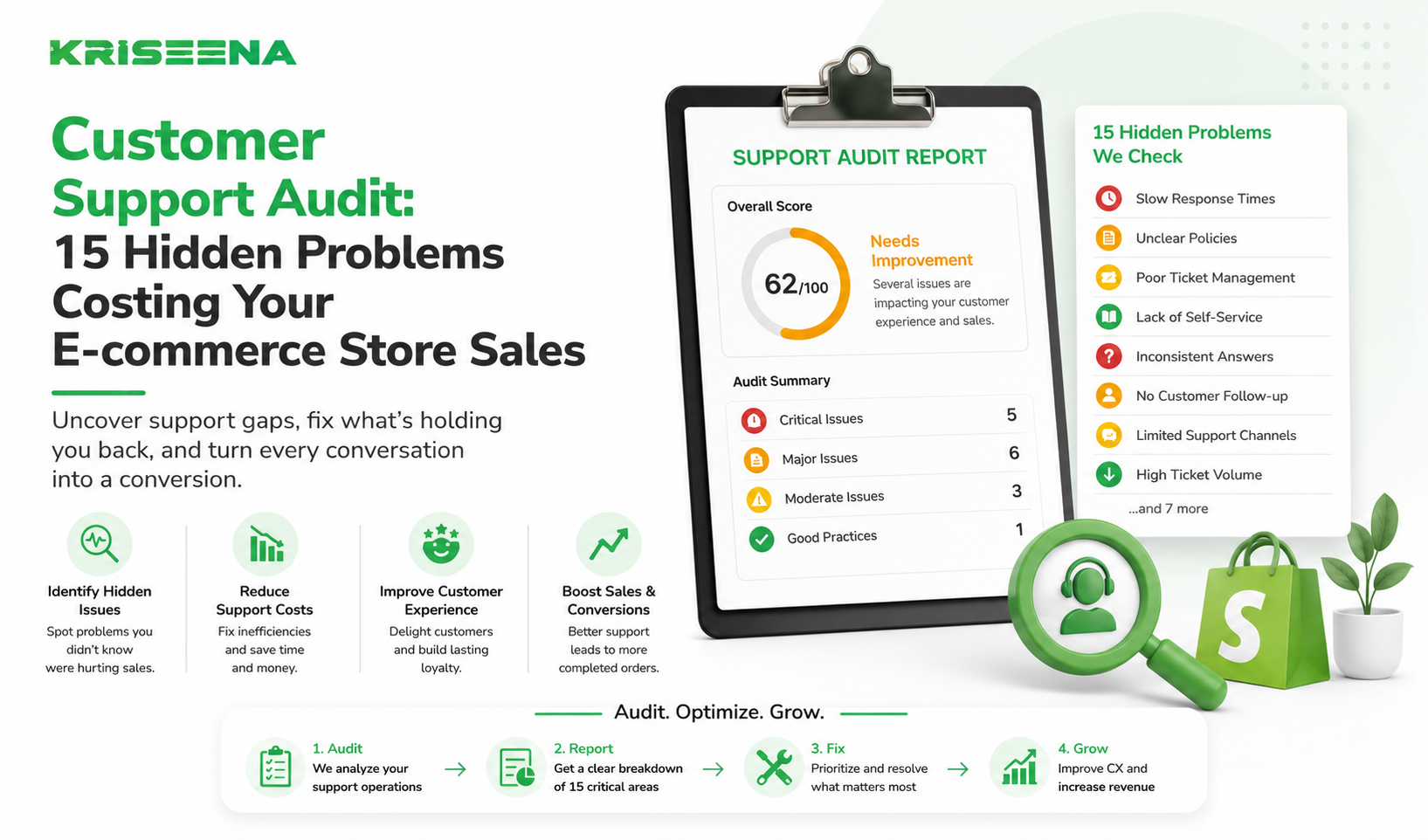
Most e-commerce businesses monitor customer support.
Few actually audit it.
There's a difference.
Monitoring tells you what's happening.
An audit tells you what's broken.
You might be tracking response times, ticket volume, and customer satisfaction scores. Yet customers still complain. Conversion rates remain flat. Support costs keep rising.
That's because many support problems don't appear in standard dashboards.
They're hidden inside workflows, processes, communication gaps, and outdated systems.
The result?
Lost sales Higher support costs Frustrated customers Burned-out agents Lower customer retention
This guide walks through a practical customer support audit that founders and support managers can use to uncover the biggest opportunities for improvement.
What Is a Customer Support Audit?
A customer support audit is a structured review of your entire support operation.
Instead of looking at a single metric, an audit evaluates:
Customer experience Support workflows Team performance Technology stack Automation opportunities Communication quality Operational efficiency
The goal isn't to find fault.
The goal is to identify bottlenecks that prevent your support team from delivering fast, consistent, and profitable customer service.
Think of it as a health check for your support operation.
Why E-commerce Businesses Should Audit Support Regularly
Support directly impacts revenue.
Customers interact with support before buying, after buying, during returns, and when problems occur.
A poor support experience affects:
Customer satisfaction Repeat purchases Refund rates Brand reputation Customer lifetime value
The challenge is that support issues often develop gradually.
A five-minute delay becomes a fifteen-minute delay.
A small backlog becomes a large backlog.
An outdated FAQ becomes hundreds of repetitive tickets.
Without regular audits, these problems compound over time.
Audit Area #1: Response Speed
Fast responses create confidence.
Slow responses create anxiety.
Ask these questions:
Problem 1: Is First Response Time Increasing?
Review trends over the last six months.
If response times are consistently increasing, demand may be growing faster than capacity.
Problem 2: Are Customers Waiting Longer on Certain Channels?
Compare:
Email Live chat Social media WhatsApp Contact forms
Many businesses optimize one channel while neglecting others.
Problem 3: Are Response Targets Being Missed?
If you have response goals, determine how often they are actually achieved.
A target that isn't consistently met has little operational value.
Audit Area #2: Ticket Volume
Ticket volume alone isn't a problem.
The source of that volume often is.
Problem 4: Are Repetitive Questions Driving Most Tickets?
Review your top support categories.
Questions like:
Where is my order? How do returns work? When will my order arrive?
should not dominate your queue forever.
If they do, self-service and automation opportunities likely exist.
Problem 5: Are Tickets Growing Faster Than Revenue?
A healthy support operation becomes more efficient over time.
If ticket growth outpaces business growth, something may be broken.
Common causes include:
Confusing policies Poor communication Product issues Weak self-service resources Audit Area #3: Customer Experience
Customers don't evaluate support based on internal metrics.
They evaluate outcomes.
Problem 6: Do Customers Need Multiple Contacts to Solve Issues?
One-contact resolution should be a major objective.
If customers repeatedly follow up, it usually indicates:
Incomplete responses Poor internal processes Lack of information access Problem 7: Are Customers Receiving Inconsistent Answers?
Ask three support agents the same question.
Do they give identical answers?
If not, customers may be receiving conflicting information.
This often happens when:
Documentation is outdated Training is inconsistent Policies aren't centralized Audit Area #4: Self-Service Performance
Many businesses assume their help center is working.
The data often tells a different story.
Problem 8: Are Customers Ignoring Your Help Center?
Check:
Article views Search usage Search success rates
Low engagement often means customers can't find answers easily.
Problem 9: Are Support Agents Answering Questions Already Covered in Documentation?
If agents repeatedly answer questions that exist in your help center, customers may not know those resources exist.
This is a discoverability problem, not a content problem.
Audit Area #5: Support Team Productivity
Support audits should evaluate systems, not just people.
Problem 10: Are Agents Spending Time Switching Between Tools?
Many support teams constantly jump between:
Shopify Email Help desks Tracking systems Internal documentation
Every switch adds friction.
Over hundreds of tickets, the productivity loss becomes substantial.
Problem 11: Are Agents Performing Repetitive Manual Tasks?
Examples include:
Looking up orders Copying tracking links Sending standard responses Checking return eligibility
These tasks consume valuable time without adding much customer value.
Audit Area #6: Support Technology
Technology should reduce workload.
Not create more of it.
Problem 12: Is Your Support Stack Too Fragmented?
Many stores accumulate software over time.
The result:
Multiple inboxes Duplicate conversations Lost customer context Higher software costs
An audit should identify unnecessary complexity.
Problem 13: Are Automation Opportunities Being Missed?
Review your highest-volume ticket categories.
If repetitive conversations still require human involvement, automation opportunities likely exist.
Candidates include:
Order tracking Shipping questions Return policies Store policies Product FAQs Audit Area #7: Customer Feedback
Customers often reveal support problems before internal metrics do.
Problem 14: Are CSAT Comments Repeating the Same Complaints?
Look beyond the score itself.
Analyze the comments.
Common themes often include:
Slow responses Generic answers Long resolution times Difficulty reaching support
Patterns matter more than individual complaints.
Problem 15: Are Customers Leaving Because of Support Issues?
Review:
Refund requests Negative reviews Churn reasons Social media complaints
Support problems frequently appear in places other than support reports.
Customer Support Audit Scorecard
Use this simple framework.
Score each category from 1 to 5.
Category Score (1-5) Response Speed Resolution Quality Ticket Volume Control Self-Service Agent Productivity Automation Customer Satisfaction Technology Stack Scoring Guide
35–40 points
High-performing support operation Focus on optimization
25–34 points
Moderate performance Several improvement opportunities
15–24 points
Significant inefficiencies Audit findings should become priorities
Below 15 points
Support is likely impacting revenue and customer retention What to Fix First
Not every issue deserves immediate attention.
Prioritize based on impact.
High Priority
Focus on:
Long response times High-volume repetitive tickets Poor self-service experiences Missed automation opportunities
These improvements typically deliver the fastest ROI.
Medium Priority
Address:
Tool fragmentation Workflow inefficiencies Documentation quality
These improvements create operational gains over time.
Lower Priority
Optimize:
Reporting Advanced workflows Nice-to-have features
Fix major bottlenecks before pursuing perfection.
How AI Changes the Audit Process
Historically, audits identified problems but fixing them required:
Hiring staff Expanding teams Rewriting workflows
Today, AI provides another option.
For example:
Instead of hiring another support agent to answer order-status questions, AI can answer them automatically.
Instead of manually searching documentation, AI can retrieve answers instantly.
Instead of routing every conversation to an agent, AI can resolve simple inquiries before escalation.
This allows businesses to address audit findings without increasing support headcount at the same pace as growth.
Conclusion
Customer support audits uncover problems that ordinary dashboards often miss.
A business can hit its KPI targets while still frustrating customers, wasting agent time, and losing revenue.
That's why the best support leaders regularly evaluate:
Speed Quality Efficiency Technology Automation Customer experience
The goal isn't simply to handle more tickets.
The goal is to create a support operation that scales efficiently while delivering a better customer experience.
If your audit reveals repetitive questions, manual workflows, and growing support costs, automation may be the fastest path to improvement.
Kriseena helps Shopify and WooCommerce businesses automate customer support using live order data and a centralized knowledge base. Customers get instant answers, support teams spend less time on repetitive work, and businesses scale without constantly adding headcount.
Start your 14-day free trial today at https://kriseena.com.

Amrutha Suresh
Content Writer, Kriseena
Amrutha writes about AI customer support, e-commerce operations, and help desk best practices. She covers practical guides for support teams looking to scale without growing headcount.