
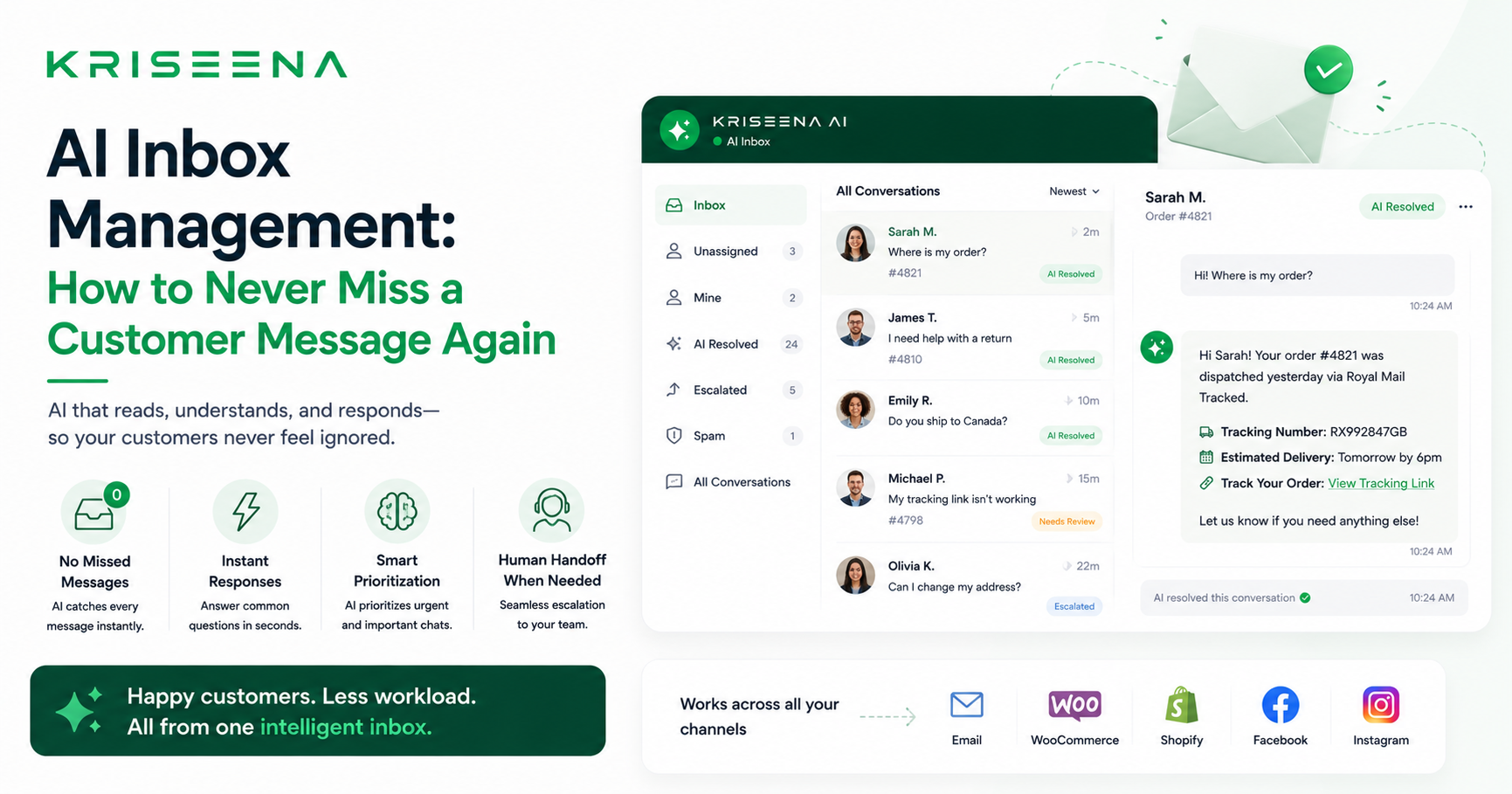
AI Inbox Management: How to Never Miss a Customer Message Again
Customer support inboxes are chaotic. Email threads get lost in spam. Live chat messages arrive while the team is on calls. Urgent complaints sit unread alongside routine tracking queries. One agent handles everything while another has nothing. A customer emails three times before anyone responds.
This is not a staffing problem. It is an inbox management problem — and AI solves most of it without adding headcount.
This guide explains what AI inbox management is, what it fixes, and how to implement it for a small or growing customer support team.
What Is AI Inbox Management?
AI inbox management is the use of artificial intelligence to organise, triage, and respond to customer messages automatically. It typically includes:
- Automatic classification — identifying what type of query each message is (order query, complaint, returns question, product question)
- Priority routing — surfacing urgent messages (angry customers, payment disputes, time-sensitive issues) to agents first
- Automated responses — handling routine queries without agent involvement
- Draft generation — pre-writing replies for complex queries so agents can respond in seconds rather than minutes
The goal is not to replace agents. It is to ensure agents spend their time on the queries that actually need a human, and that routine queries are handled instantly without waiting for a human to be available.
The Problems AI Inbox Management Solves
Missed messages
In a busy inbox, messages get missed. An email arrives on a Friday evening, sits over the weekend, and the customer has already opened a chargeback dispute by Monday morning. AI-powered inboxes monitor all channels continuously. Nothing sits unread for more than seconds.
Repetitive query volume
In most e-commerce support inboxes, 40 to 60 percent of queries are the same few types: order tracking, returns policy, shipping times, basic product questions. A trained agent handles these in the same way every time. AI handles them identically — and instantly — without the agent needing to be involved at all.
Priority confusion
Without triage, a frustrated customer who has received a damaged product sits in the same queue as someone asking about your store hours. AI inbox management identifies signals of urgency — negative sentiment, words like "refund," "chargeback," "complaint," "unacceptable" — and pushes those conversations to the top of the agent queue automatically.
Context switching
Agents who handle both chat and email simultaneously lose time switching between channels, rebuilding context, and managing multiple tools. A unified inbox brings all channels — live chat, email, social — into one view, with AI providing context on every conversation.
How Kriseena's AI Inbox Works
Kriseena provides a unified inbox for live chat and Gmail. Every incoming message — whether from the chat widget on your website or an email to your support address — appears in the same interface.
For each incoming message, Kriseena:
- Classifies the query type (WISMO, returns, product question, complaint, etc.)
- Checks the knowledge base for a relevant answer
- If confidence is high: sends an automated reply immediately
- If confidence is lower: drafts a reply for agent review
- If the message contains negative sentiment indicators: flags it as high priority in the inbox
Agents see the queue prioritised by urgency. They review drafts with a single click to approve or edit. They handle only the conversations that genuinely need a human.
Sentiment Detection: Catching Problems Before They Escalate
One of the most valuable AI inbox features is sentiment detection. When a customer is frustrated — "this is absolutely ridiculous," "I've been waiting three weeks," "I want my money back" — those conversations need to be seen immediately, not buried in a chronological queue.
Kriseena scores every message for sentiment and flags negative conversations prominently. Agents can filter the inbox to see all frustrated customers first, reducing the risk of a complaint escalating to a chargeback or public review because it was missed.
Draft Mode vs Auto-Send: Which Should You Use?
Draft mode: AI composes every reply but waits for agent approval before sending. Best for teams who are new to AI, dealing with sensitive customer segments, or handling high-stakes support where errors are costly.
Auto-send mode: AI sends replies above a confidence threshold automatically, without agent review. Best for high-volume, routine query types where accuracy has been validated over time.
Most teams start in draft mode and move specific query types — typically WISMO and basic policy questions — to auto-send after two weeks of reviewing accuracy.
Setting Up AI Inbox Management
Getting Kriseena's AI inbox running takes one afternoon:
- Connect your Gmail support inbox (OAuth connection, under 5 minutes)
- Add the chat widget to your website (copy-paste one script tag)
- Write 5 to 10 knowledge base articles covering your most common query types
- Set the AI to draft mode for the first week
- Review drafts, identify gaps, add more KB articles
- Enable auto-send for query types where accuracy is consistently high
After two weeks, most teams are running with 60 to 70 percent of queries handled automatically, a prioritised queue for the remainder, and agents spending their time on conversations that actually benefit from human judgment.
Summary
AI inbox management eliminates the chaos that makes customer support hard: missed messages, repetitive replies, unprioritised queues, context-switching between tools. With the right setup, a team of two agents can handle the support volume of a much larger team — and handle it faster and more consistently.
Start managing your inbox with AI. Kriseena's 14-day free trial includes full inbox setup, Gmail integration, and AI draft mode from day one. No credit card required.

Aswathi
Content Writer, Kriseena
Aswathi specialises in SaaS product content and customer experience topics. Her writing helps e-commerce founders and support managers understand how AI fits into their existing workflows.