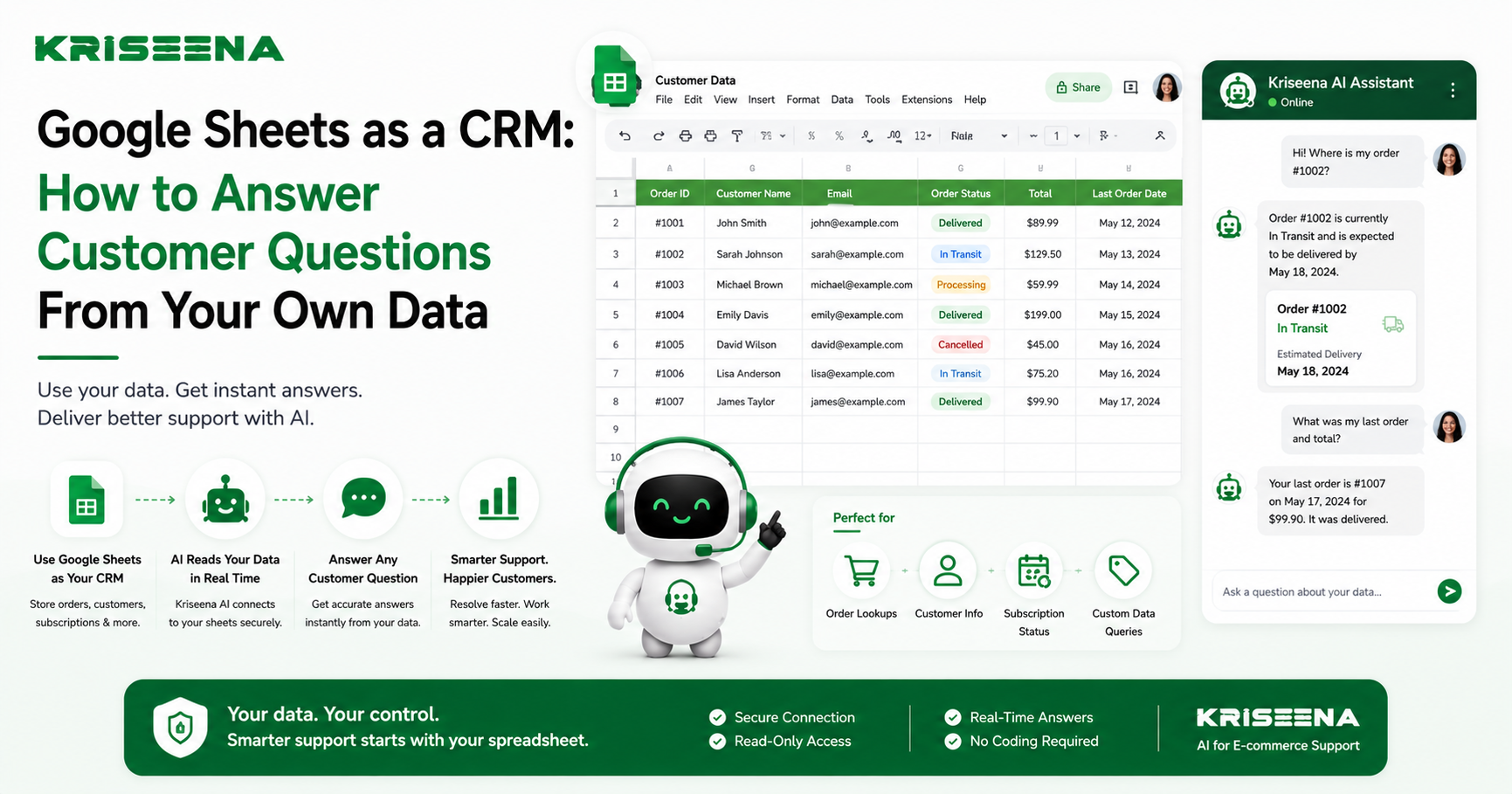
Many businesses rely on Google Sheets to manage important customer information.
Whether you're running an e-commerce store, a SaaS product, or a subscription business, your spreadsheet often contains valuable data that your support team needs every day. Order records, subscription details, customer IDs, warranty information, account managers, and custom fields are frequently stored in Google Sheets because it's simple, flexible, and familiar.
The problem is that support agents often have to search through spreadsheets manually every time a customer asks a question.
As your business grows, that process becomes slow, repetitive, and prone to mistakes.
Modern AI-powered customer support tools can solve this problem by querying Google Sheets in real time, allowing agents and even customers to receive accurate answers without manually opening a spreadsheet.
This guide explains how to structure a Google Sheet for customer support, how AI uses spreadsheet data, common real-world use cases, and how to get started.
Why Businesses Use Google Sheets for Customer Support
Not every business has a complex CRM or custom database.
Many growing companies use Google Sheets because it's:
- Easy to update
- Familiar to every team member
- Accessible from anywhere
- Flexible enough for custom workflows
- Simple to share across departments
For many small businesses and startups, Google Sheets becomes the single source of truth for information that isn't stored in Shopify, WooCommerce, or another business platform.
Examples include:
- Wholesale customer lists
- Subscription plans
- Warranty records
- Membership status
- Internal customer notes
- License information
- Custom pricing
- Distributor details
- Event registrations
Instead of moving this data into another system, AI can retrieve it directly from the spreadsheet whenever it's needed.
How to Structure a Google Sheet for Customer Support
A well-organized spreadsheet makes it much easier for both people and AI to find accurate information.
You don't need a complicated setup, but consistency matters.
Use One Row Per Customer or Order
Each row should represent one record.
For example:
| Customer Email | Order Number | Status | Subscription | Renewal Date |
|---|---|---|---|---|
| jane@example.com | 10482 | Shipped | Premium | Aug 12 |
Avoid merging cells or storing multiple customers in a single row.
Use Clear Column Names
Column headers should describe exactly what they contain.
Examples include:
- Customer Name
- Order Number
- Order Status
- Subscription Plan
- Renewal Date
- Assigned Manager
- Tracking Number
- Warranty Expiry
Avoid vague names such as:
- Data1
- Notes2
- Misc
Clear labels help both your team and AI interpret the information correctly.
Keep Data Consistent
Consistency improves search accuracy.
For example, use one format for order statuses:
- Pending
- Processing
- Shipped
- Delivered
- Cancelled
Avoid mixing terms like:
- Complete
- Finished
- Sent
- Done
for the same status.
The cleaner your data, the more reliable the responses.
Update Information Regularly
AI can only answer based on the information available.
If subscription status or order details aren't updated, responses won't reflect the latest customer information.
Treat your spreadsheet as a living database rather than a static report.
How AI Uses Google Sheets in Real Time
Traditional support workflows require agents to:
- Open Google Sheets.
- Search for the customer.
- Find the correct row.
- Read the information.
- Return to the support conversation.
- Type the response.
AI removes these manual steps.
When connected to your spreadsheet, AI can search the relevant row in real time and retrieve the information needed to answer the customer's question.
For example, if a customer asks:
"What is the status of my subscription?"
The AI can locate the matching record and respond using the latest data stored in your Google Sheet.
This saves time for agents while providing customers with faster, more accurate answers.
Practical Use Cases
Google Sheets can support far more than simple order lookups.
Here are some common ways businesses use spreadsheet data in customer support.
Order Lookup
Many businesses track orders outside of their e-commerce platform.
AI can retrieve information such as:
- Order number
- Shipping status
- Tracking reference
- Estimated delivery date
without requiring manual searches.
Subscription Status
SaaS businesses often maintain customer subscription details in Google Sheets.
Customers can ask:
- Is my subscription active?
- Which plan am I on?
- When does my renewal happen?
AI can answer using the latest spreadsheet data.
Custom Customer Information
Every business stores unique information.
Examples include:
- Assigned account manager
- Loyalty tier
- Distributor code
- Membership level
- Training completion
- Event registration
- Warranty eligibility
Instead of hardcoding these fields into a support platform, AI simply references the appropriate spreadsheet columns.
Internal Reference Data
Support teams also use Google Sheets for internal documentation such as:
- Vendor contacts
- Regional service providers
- Product serial numbers
- Store locations
- Internal approval lists
AI can quickly retrieve this information for support agents during customer conversations.
Best Practices for Using Google Sheets With AI
To get the most reliable results, follow a few simple guidelines.
Remove Duplicate Records
Multiple rows for the same customer create confusion.
Whenever possible, maintain one authoritative record.
Standardize Formatting
Use consistent formats for:
- Dates
- Phone numbers
- Currency
- Status values
Standardization improves search accuracy.
Limit Free-Form Text
Large note fields are useful for humans but can be difficult to maintain.
Whenever possible, store structured information in dedicated columns.
Review Permissions
Only authorized team members should edit customer data.
Restrict editing access while allowing AI to retrieve approved information securely.
Clean Up Old Data
Archive outdated records periodically.
Keeping spreadsheets organized improves both performance and accuracy.
Getting Started
Connecting Google Sheets to your support workflow is usually straightforward.
A typical setup involves:
- Organizing your spreadsheet with clear columns.
- Ensuring customer records are accurate and up to date.
- Connecting the spreadsheet to your AI-powered helpdesk.
- Testing common customer questions.
- Reviewing responses and refining your data structure where needed.
You don't need technical expertise to benefit from this approach. In most cases, improving your spreadsheet organization delivers immediate improvements in response quality.
How Kriseena Uses Google Sheets
Kriseena includes a native Google Sheets integration that allows its AI assistant to retrieve information directly from spreadsheet data during customer conversations.
Instead of requiring agents to manually search rows or copy information between applications, Kriseena can query connected Google Sheets in real time and use the results to answer customer questions accurately.
This makes Google Sheets useful for far more than reporting. Businesses can use it as a live customer support data source for information such as:
- Order details
- Subscription status
- Membership information
- Warranty records
- Custom customer fields
- Internal reference data
Because the AI reads the latest spreadsheet information, support teams can continue using Google Sheets while providing faster and more consistent customer responses.
Final Thoughts
Google Sheets remains one of the most widely used tools for managing business data, especially for growing e-commerce stores and SaaS companies that need flexibility without the complexity of a full CRM.
When organized properly, a spreadsheet becomes much more than a place to store information. It becomes a valuable customer support resource.
By connecting Google Sheets to an AI-powered helpdesk, businesses can answer customer questions using real-time spreadsheet data, reduce manual lookups, and give support agents more time to focus on complex conversations.
For teams already managing customer or order information in Google Sheets, platforms like Kriseena make it easy to turn that existing data into a powerful support asset without changing the way your business works.