
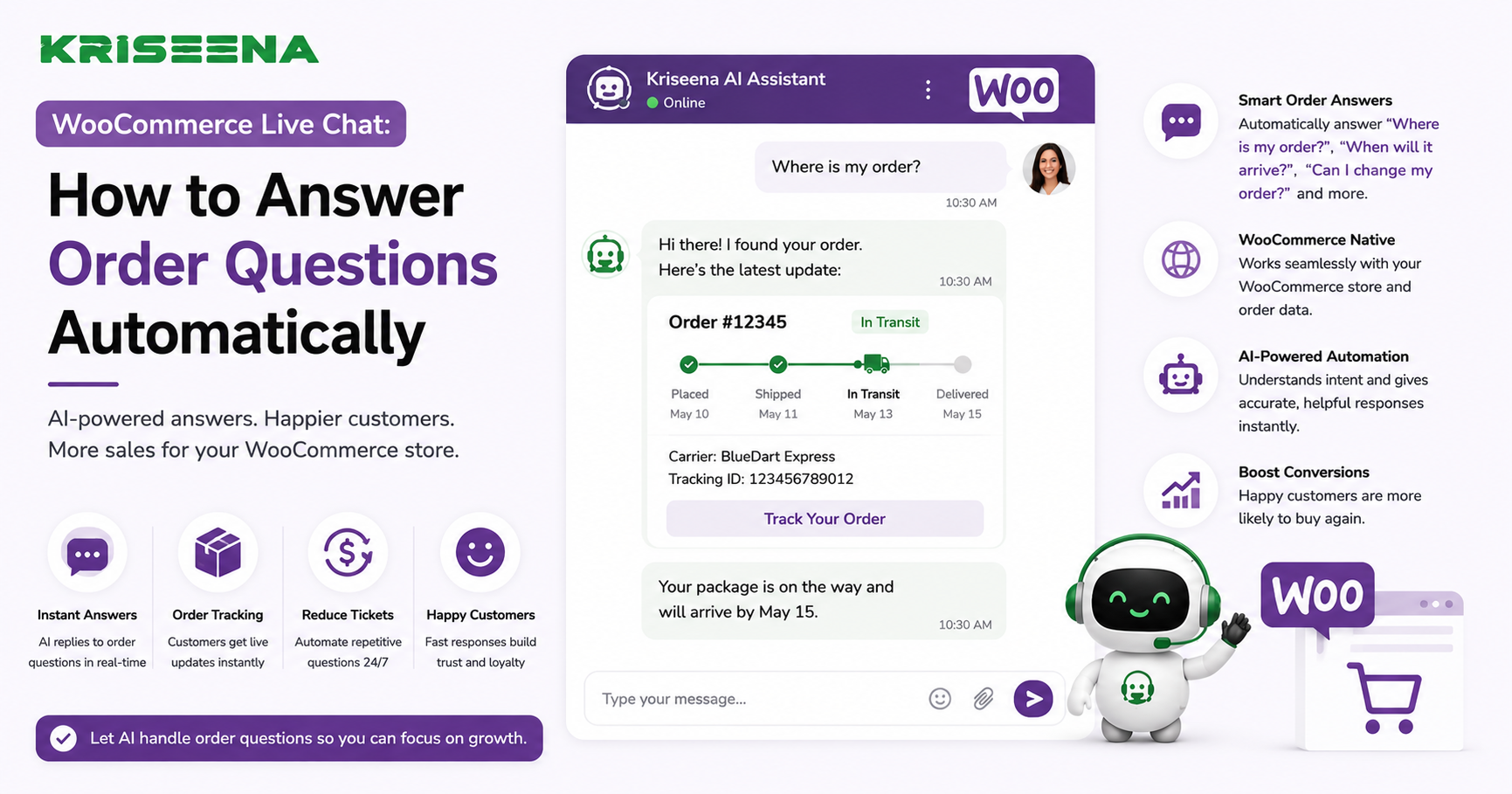
f you run a WooCommerce store, you've probably noticed that many customer conversations start with the same questions.
"Where is my order?"
"Has my package shipped?"
"Can I change my shipping address?"
"When will I receive my refund?"
These questions are important, but they are also repetitive. As your store grows, manually responding to every order-related inquiry becomes one of the biggest drains on your support team's time.
Modern AI-powered live chat solves this problem by answering common order questions automatically using real-time WooCommerce data. Instead of making customers wait for a support agent, AI provides instant, accurate responses while allowing your team to focus on more complex conversations.
In this guide, you'll learn how to automate order questions in WooCommerce live chat, the benefits of AI-powered support, and the best practices for creating a fast, efficient customer experience.
Why Order Questions Dominate WooCommerce Support
Every ecommerce business receives a steady stream of order-related inquiries.
Common examples include:
Where is my order? Has my order shipped? What's my tracking number? Can I update my shipping address? Can I cancel my order? When will my refund arrive?
These conversations often represent the largest category of support tickets.
While each question is relatively simple, answering hundreds of them every week can consume a significant amount of your team's time.
The Problem With Manual Responses
Without automation, support agents typically follow the same process for every order inquiry.
They:
Open WooCommerce. Search for the customer's order. Check fulfillment status. Copy tracking information. Reply to the customer. Repeat the process for the next conversation.
Although each interaction only takes a few minutes, the combined workload quickly becomes substantial.
Manual support also creates challenges such as:
Longer response times Higher support costs Increased workload during sales events Inconsistent customer responses Slower issue resolution
AI automation eliminates many of these repetitive tasks.
What Is AI-Powered WooCommerce Live Chat?
AI-powered live chat combines conversational AI with your WooCommerce store.
Instead of displaying static chatbot responses, AI understands customer intent and retrieves information directly from your store.
This enables customers to receive immediate answers about:
Order status Shipping updates Tracking numbers Refund progress Return eligibility Product information
The result is a faster and more personalized support experience.
How AI Answers Order Questions Automatically Step 1: Verify the Customer
Before displaying order information, AI confirms the customer's identity using details such as:
Email address Order number Logged-in customer account
This protects customer information while ensuring accurate responses.
Step 2: Retrieve WooCommerce Order Data
After verification, AI accesses real-time information including:
Order status Payment status Fulfillment progress Shipping carrier Tracking number Estimated delivery date
Because the information comes directly from WooCommerce, responses remain accurate and current.
Step 3: Understand Customer Intent
Customers ask similar questions in different ways.
For example:
Where is my package? Can I track my shipment? Has my order shipped? Delivery update? I haven't received my order.
Modern AI recognizes that these questions relate to order tracking and retrieves the correct information automatically.
Order Questions AI Can Handle
A well-configured AI assistant can automate many of the most common WooCommerce support requests.
Order Tracking
Customers receive:
Tracking number Shipping carrier Shipment status Estimated delivery date Processing Orders
If the order hasn't shipped yet, AI explains:
Current processing stage Estimated shipping timeline Next expected update Refund Questions
Customers can ask:
Has my refund been processed? When will I receive my refund? What payment method will be refunded?
AI answers using your documented refund policy and order information.
Return Eligibility
AI checks your return policy and explains whether an order qualifies for a return or exchange.
Shipping Policies
Instead of searching through help articles, customers receive instant answers about:
Shipping methods Delivery times International shipping Processing times Benefits of Automating WooCommerce Live Chat Faster Response Times
Customers receive answers within seconds instead of waiting for a support representative.
Lower Ticket Volume
Many order-related conversations never become support tickets because AI resolves them automatically.
Higher Customer Satisfaction
Immediate, accurate responses improve trust and reduce frustration.
Increased Team Productivity
Support agents spend less time answering repetitive questions and more time resolving complex customer issues.
24/7 Customer Support
AI continues answering questions outside business hours, providing consistent service to customers in different time zones.
Setting Up Automated Order Support Connect Your WooCommerce Store
Choose a support platform that integrates directly with WooCommerce.
This connection allows AI to access:
Customer accounts Orders Shipping information Product details Purchase history Build a Knowledge Base
Your AI should learn from documentation including:
Shipping policy Return policy Refund policy Delivery estimates Frequently asked questions
The more complete your documentation, the more helpful AI becomes.
Configure Live Chat
Place live chat where customers naturally seek assistance.
Common locations include:
Homepage Product pages Cart page Checkout Order confirmation page Customer account page Test Common Conversations
Before launching, verify responses for:
Processing orders Shipped orders Delivered orders Delayed shipments Refund requests Return questions
Testing ensures customers receive accurate information.
Best Practices Personalize Responses
Instead of generic replies, AI should include:
Customer name Order number Current shipment status Delivery estimate
Personalization creates a more natural support experience.
Keep Documentation Updated
Whenever policies change, update your knowledge base immediately.
Outdated documentation leads to inaccurate responses.
Escalate Complex Conversations
AI should automatically transfer customers to human agents when conversations involve:
Lost shipments Damaged products Fraud concerns Warranty claims Custom order requests
Human expertise remains essential for these situations.
Monitor Performance
Track metrics including:
First response time Resolution time AI resolution rate Customer satisfaction Escalation rate
Continuous monitoring helps improve automation over time.
Common Mistakes to Avoid Using Rule-Based Chatbots
Traditional chatbots often rely on keywords and scripted flows.
Modern AI understands natural language, making conversations more flexible and accurate.
Not Integrating WooCommerce
Without store access, AI cannot provide personalized order updates.
Always connect your support platform directly to WooCommerce.
Ignoring Follow-Up Questions
Customers often ask additional questions after receiving tracking information.
AI should also answer questions about shipping, returns, refunds, and delivery timelines.
Forgetting Human Handoffs
Automation should improve support, not block access to your team.
Always provide an easy way for customers to speak with a support agent.
Why Kriseena Is Built for WooCommerce Support
Kriseena is an AI-powered customer support platform built specifically for Shopify and WooCommerce stores.
By integrating directly with WooCommerce, Kriseena can automatically answer order questions, retrieve tracking information, explain shipping and return policies, and respond to refund inquiries using your store's data and knowledge base. When conversations require human attention, they are seamlessly transferred to your support team without losing context.
This AI-first approach helps WooCommerce merchants reduce repetitive support tickets while delivering faster and more consistent customer experiences.
Frequently Asked Questions Can AI answer WooCommerce order questions automatically?
Yes. When connected to WooCommerce, AI can retrieve order details, tracking information, and shipping updates in real time.
Is customer information secure?
Yes. AI verifies customer identity before displaying order information, helping protect sensitive account details.
Can AI answer refund and return questions?
Yes. AI can explain refund status, return eligibility, exchange policies, and shipping procedures using your documented business policies.
Does AI replace support agents?
No. AI handles repetitive conversations while allowing support agents to focus on complex customer issues that require human judgment.
Final Thoughts
Order-related inquiries are one of the biggest sources of repetitive customer support work for WooCommerce stores. By combining live chat with AI and real-time WooCommerce data, merchants can answer these questions automatically, reduce ticket volume, and improve the overall customer experience.
The most successful implementations combine accurate store data, a well-maintained knowledge base, and intelligent automation. Customers receive immediate answers, while support teams spend their time solving problems that truly require human expertise.
Ready to Automate WooCommerce Customer Support?
If you're looking for an AI-powered customer support platform built specifically for Shopify and WooCommerce stores, visit https://kriseena.com to discover how Kriseena can automate order questions, streamline live chat, and help your support team deliver faster, more efficient customer service.

Amrutha Suresh
Content Writer, Kriseena
Amrutha writes about AI customer support, e-commerce operations, and help desk best practices. She covers practical guides for support teams looking to scale without growing headcount.