
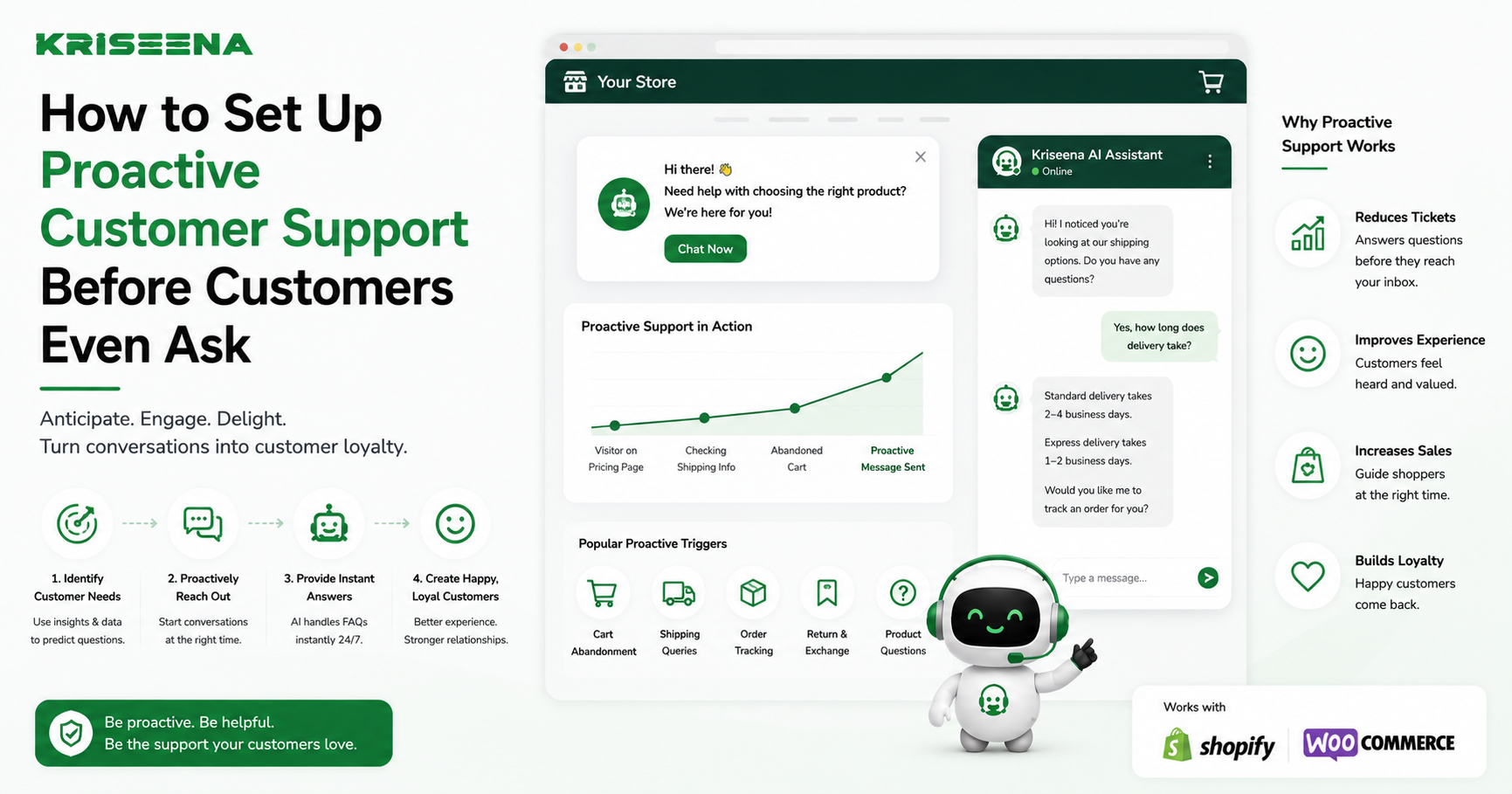
Most e-commerce support teams operate reactively.
A customer places an order, something goes wrong, and only then does support get involved. By that point, the customer may already be frustrated, anxious, or considering buying elsewhere.
The best online stores take a different approach. Instead of waiting for customers to report problems, they identify potential issues early and communicate before the customer has to ask.
This approach is known as proactive customer support.
Rather than simply answering tickets, proactive support anticipates customer needs, resolves common concerns early, and builds trust throughout the buying journey.
In this guide, you'll learn what proactive customer support is, how to identify the right moments to reach out, which tools can automate the process, and how AI is making proactive support more effective for modern e-commerce businesses.
What Is Proactive Customer Support?
Proactive customer support means reaching out to customers before they contact your support team.
Instead of waiting for a "Where is my order?" email or an angry complaint, you provide timely information that answers questions before they're asked.
The goal is simple:
- Reduce uncertainty
- Prevent frustration
- Increase customer confidence
- Lower ticket volume
- Improve the overall shopping experience
When customers feel informed, they're less likely to contact support and more likely to trust your brand.
Examples of Proactive Customer Support
Proactive support doesn't always require complex automation. Often, it's about sending the right message at the right time.
Here are some of the most effective examples.
Triggered Welcome Messages
When a customer creates an account or places their first order, send a welcome message explaining:
- What happens next
- Shipping timelines
- How to contact support
- Links to FAQs or your help center
This sets expectations and reduces confusion from the start.
Order Delay Alerts
One of the biggest drivers of support tickets is delayed shipping.
Instead of waiting for customers to ask where their package is, automatically notify them if:
- A carrier reports a delay
- An order hasn't shipped on schedule
- Delivery estimates change
- Weather or logistics issues affect fulfillment
A simple update can prevent dozens of "Where is my order?" emails.
Post-Purchase Check-Ins
Customer support shouldn't end when an order is delivered.
Follow up a few days after delivery to ask whether:
- The order arrived successfully
- The customer needs help using the product
- They have questions about setup or care
- Everything met their expectations
These check-ins help uncover issues early and show customers that you value their experience beyond the sale.
Low Stock or Subscription Reminders
For consumable products or subscription businesses, automated reminders can help customers reorder before they run out.
This improves customer satisfaction while also increasing repeat purchases.
Returns and Refund Updates
Customers appreciate transparency during the returns process.
Instead of making them ask for updates, proactively communicate when:
- A return has been received
- A refund is being processed
- The refund has been completed
- An exchange has shipped
Keeping customers informed reduces uncertainty and minimizes inbound support requests.
How to Identify the Right Moments to Reach Out
Not every customer interaction requires proactive communication.
The most effective support teams focus on key moments where customers are most likely to have questions or concerns.
During Order Processing
Customers often wonder:
- Has my order been received?
- When will it ship?
- Can I still make changes?
Automated updates during processing provide reassurance and reduce unnecessary emails.
During Shipping Delays
Unexpected delays create anxiety.
If tracking data indicates a delay, notify customers immediately rather than waiting for them to discover it themselves.
Being transparent builds trust, even when the news isn't ideal.
After Delivery
Delivery doesn't always mean the customer is satisfied.
Checking in after delivery gives customers an easy way to raise concerns before they leave negative reviews or request chargebacks.
After Repeated Website Activity
If a customer repeatedly visits your returns page, shipping information, or product documentation, they may need assistance.
Live chat invitations or helpful messages at these moments can answer questions before they become support tickets.
When Customer Behavior Changes
Customers who suddenly stop engaging, abandon repeat purchases, or experience multiple issues within a short period may benefit from personalized outreach.
Proactive engagement can strengthen loyalty and reduce churn.
Tools That Help Automate Proactive Support
As your business grows, manually monitoring every customer interaction becomes impossible.
Automation allows your team to deliver timely support without increasing headcount.
Helpdesk Platforms
Modern helpdesks centralize customer conversations and make it easier to trigger automated actions based on customer events.
Common workflows include:
- Automatic conversation routing
- Priority assignment
- Internal notifications
- Follow-up reminders
- Customer tagging
Shipping and Order Tracking Tools
Order tracking integrations can automatically detect shipping updates and trigger customer notifications when delivery timelines change.
This keeps customers informed without requiring manual intervention.
Workflow Automation Platforms
Automation tools such as Zapier allow support platforms to connect with CRMs, communication tools, project management systems, and analytics platforms.
For example:
- Shipping delay → Notify customer
- Low satisfaction score → Alert manager
- Refund request → Create finance task
- Product issue → Create engineering ticket
These workflows ensure the right teams are informed without relying on manual processes.
Customer Data Platforms
Combining purchase history, browsing behavior, and previous support interactions helps create more relevant and timely customer communications.
Instead of generic messages, customers receive updates based on their specific situation.
How AI Makes Proactive Support Smarter
Traditional automation depends on predefined rules.
For example:
"If tracking status changes, send an email."
AI goes a step further by analyzing customer behavior, conversations, and patterns to identify situations that deserve attention before they become larger problems.
Rather than relying solely on fixed workflows, AI can help support teams prioritize customers who may need assistance.
Detecting Customer Sentiment
Customers don't always explicitly say they're unhappy.
Their language often provides subtle signals, such as:
- Repeated questions
- Increasingly negative tone
- Expressions of disappointment
- Urgency or frustration
AI can analyze these conversations and identify customers whose experience may be deteriorating.
Support teams can then intervene earlier instead of waiting for complaints to escalate.
Prioritizing High-Risk Conversations
Not every ticket has the same business impact.
AI can help identify conversations involving:
- Shipping delays
- Multiple previous contacts
- VIP customers
- Refund requests
- Negative sentiment
This enables managers to prioritize limited support resources where they'll have the greatest effect.
Suggesting Faster Responses
AI can also recommend relevant replies based on:
- Customer history
- Order information
- Knowledge base articles
- Previous successful resolutions
Agents spend less time searching for information and more time helping customers.
How Kriseena Supports Proactive Customer Service
Kriseena helps e-commerce businesses move beyond reactive support by combining automation with AI-powered insights.
In addition to shared inbox management and AI-assisted responses, Kriseena can detect frustrated customer sentiment during conversations and automatically flag those interactions before they escalate.
This gives support managers an opportunity to step in early, prioritize at-risk customers, and resolve issues before they become negative reviews, chargebacks, or lost sales.
By surfacing conversations that need immediate attention, teams can focus their efforts where they matter most instead of manually reviewing every ticket.
Best Practices for Building a Proactive Support Strategy
A proactive support program doesn't need to be complicated. Start with a few high-impact workflows and expand over time.
Consider these best practices:
- Identify the questions customers ask most often.
- Automate updates for common order milestones.
- Set clear expectations about shipping and delivery.
- Monitor customer satisfaction regularly.
- Use AI to prioritize conversations that need immediate attention.
- Review support trends every month to identify recurring issues.
- Continuously improve your help center and self-service content based on customer feedback.
The goal isn't to send more messages. It's to send the right message at the right time.
Final Thoughts
Proactive customer support shifts your team's focus from reacting to problems to preventing them.
Whether it's sending an order delay notification, checking in after delivery, or identifying frustrated customers before they escalate, timely communication creates a better customer experience while reducing the workload on your support team.
Automation handles routine updates, while AI helps identify situations that require human attention. Together, they allow support teams to scale without sacrificing quality.
For Shopify and WooCommerce merchants, tools like Kriseena make this approach practical by combining shared inbox management, automation, AI-assisted responses, and sentiment detection in a single platform. Instead of waiting for complaints to arrive, your team can identify potential issues earlier, respond faster, and build stronger customer relationships through proactive support.

Amrutha Suresh
Content Writer, Kriseena
Amrutha writes about AI customer support, e-commerce operations, and help desk best practices. She covers practical guides for support teams looking to scale without growing headcount.