
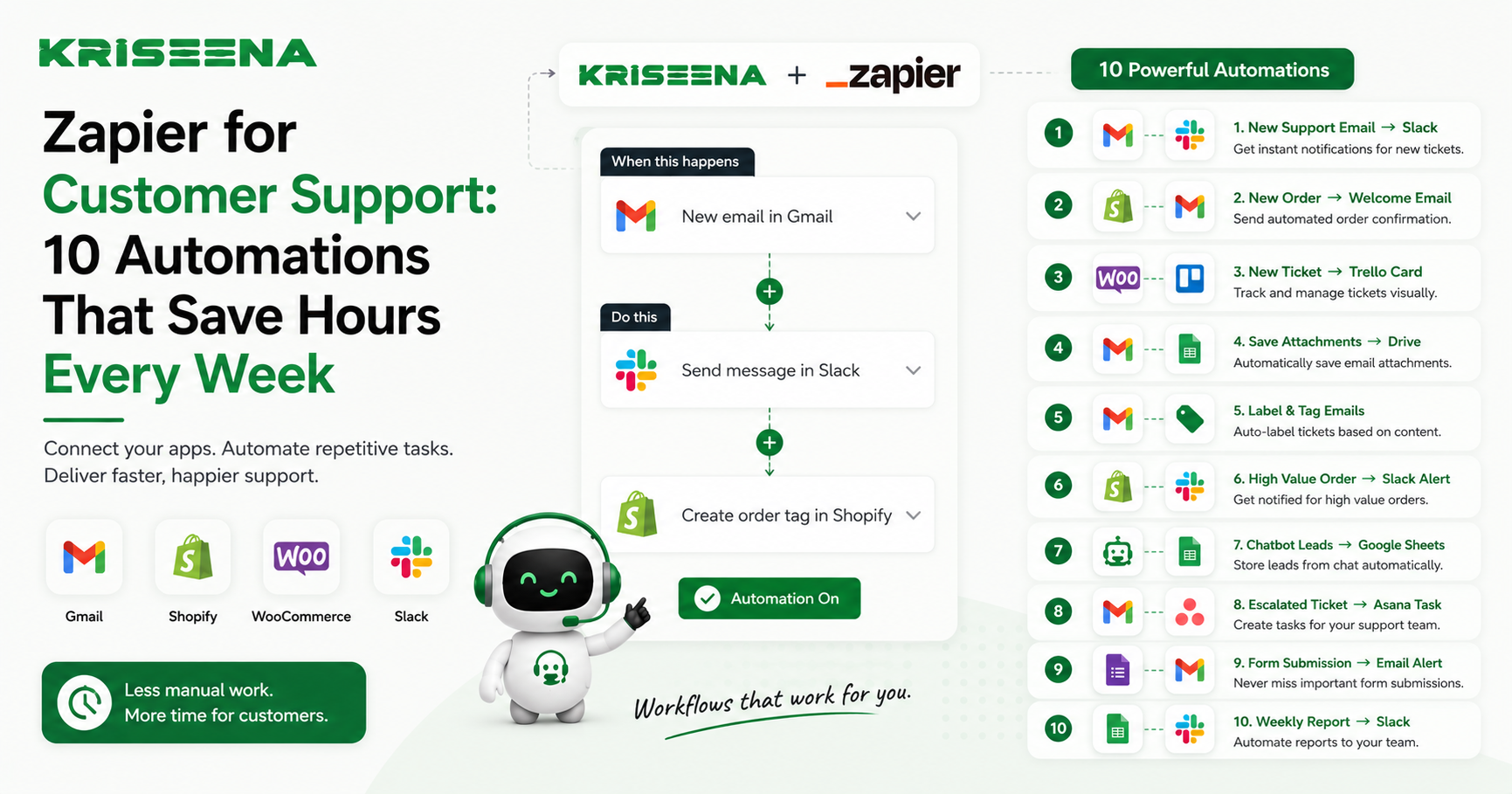
Customer support teams spend far too much time on repetitive work.
Copying customer information into a CRM. Alerting managers about unhappy customers. Creating engineering tickets. Updating spreadsheets. Sending follow-up emails.
None of these tasks require human creativity, yet they consume hours every week.
That's where Zapier comes in.
Zapier connects the apps your support team already uses and automates repetitive workflows without writing code. Instead of switching between multiple tools, your workflows happen automatically in the background.
If your support platform supports Zapier, you can eliminate manual work and ensure every customer conversation triggers the right actions instantly.
Kriseena includes native Zapier integration, making it easy to connect your customer support inbox with thousands of business applications, including HubSpot, Slack, Jira, Google Sheets, Notion, Trello, ClickUp, and more.
Here are 10 practical Zapier automations every e-commerce support team should consider.
1. New Customer Conversation → Create or Update Contact in HubSpot
Trigger
A new conversation is created in Kriseena.
Action
Zapier searches for the customer's email in HubSpot. If the contact doesn't exist, it creates one. If it already exists, it updates the contact record with the latest interaction.
Why It Saves Time
Support agents no longer need to manually create CRM contacts after every conversation.
Your sales and marketing teams always have an up-to-date customer profile, including purchase history and support activity, without anyone copying data between systems.
This automation also keeps customer records consistent across your organization.
2. Low CSAT Score → Notify Manager in Slack
Trigger
A customer submits a satisfaction rating below your chosen threshold.
Action
Zapier posts an alert in a dedicated Slack channel with:
- Customer name
- Conversation link
- Rating
- Agent assigned
- Customer comments
Why It Saves Time
Managers don't have to monitor every conversation manually.
They can immediately investigate poor experiences before they become negative reviews, refund requests, or lost customers.
Fast intervention often turns an unhappy customer into a loyal one.
3. Frustrated Customer → Create Jira Issue
Trigger
A conversation is tagged with labels such as:
- Bug
- Technical Issue
- Website Error
- Checkout Problem
or identified as requiring engineering support.
Action
Zapier creates a Jira issue with:
- Customer details
- Conversation transcript
- Priority
- Product affected
- Screenshots or attachments
Why It Saves Time
Support agents no longer need to rewrite customer issues for developers.
Engineering receives complete information immediately, reducing back-and-forth communication and speeding up bug resolution.
4. Refund Request → Create Finance Task
Trigger
A conversation receives a "Refund" tag.
Action
Zapier creates a task in ClickUp, Asana, Trello, or another project management platform for the finance team.
The task includes:
- Customer details
- Order number
- Refund reason
- Requested amount
Why It Saves Time
Instead of forwarding emails or sending internal messages, refund requests enter the finance team's workflow automatically.
Nothing gets forgotten, and customers receive faster resolutions.
5. VIP Customer Contacts Support → Notify the Team Instantly
Trigger
A conversation is started by a customer marked as VIP or high-value.
Action
Zapier sends an immediate Slack or Microsoft Teams notification to the support channel.
The notification can include:
- Customer name
- Lifetime spend
- Recent order
- Assigned support agent
- Conversation link
Why It Saves Time
High-value customers receive faster attention without agents constantly checking customer profiles.
This helps maintain excellent service for your most valuable shoppers.
6. Order Cancellation Request → Create Internal Approval Task
Trigger
A customer requests an order cancellation.
Action
Zapier creates an approval task for the operations or warehouse team before the order ships.
The workflow can include:
- Order number
- Shipping status
- Cancellation reason
- Customer information
Why It Saves Time
Manual approval chains disappear.
Operations teams receive requests instantly, increasing the chances of stopping fulfillment before shipment.
7. Conversation Closed → Add Data to Google Sheets
Trigger
A support conversation is marked as resolved.
Action
Zapier appends a new row in Google Sheets containing:
- Date
- Customer
- Agent
- Resolution time
- Tags
- CSAT score
- Issue category
Why It Saves Time
Managers automatically build reporting dashboards without exporting support data every week.
The spreadsheet updates itself after every resolved conversation.
This is especially useful for smaller businesses that aren't ready for dedicated BI software.
8. New Product Question → Notify the Marketing Team
Trigger
A conversation receives a tag such as:
- Product Question
- Missing Information
- Sizing
- Compatibility
Action
Zapier creates a task in Notion, Trello, or ClickUp for the marketing or content team.
The task includes the customer's exact question.
Why It Saves Time
Repeated customer questions often reveal missing information on product pages.
Instead of losing these insights, your marketing team automatically receives suggestions for improving descriptions, FAQs, buying guides, or product images.
Over time, this reduces incoming support volume.
9. High Priority Conversation → Send SMS or Slack Alert
Trigger
A conversation is marked as High Priority.
Examples include:
- Payment failures
- Fraud concerns
- Shipping emergencies
- Wholesale orders
- Enterprise customers
Action
Zapier immediately sends an SMS or Slack notification to the on-duty support lead.
Why It Saves Time
Critical conversations never sit unnoticed in a crowded inbox.
Managers can respond immediately, reducing delays during time-sensitive situations.
10. Conversation Closed → Send a Customer Follow-Up Email
Trigger
A support conversation is marked as resolved.
Action
Zapier automatically sends a follow-up email thanking the customer and requesting feedback.
The email may include:
- Satisfaction survey
- Product review request
- Help center links
- Loyalty program invitation
- Discount code for a future purchase
Why It Saves Time
Agents don't need to remember post-support follow-ups.
Every customer receives a consistent experience, while your business collects valuable feedback and reviews automatically.
Why Zapier Is So Valuable for Customer Support
Support teams rarely use just one application.
A typical e-commerce business might rely on:
- Shopify or WooCommerce
- Gmail
- Slack
- HubSpot
- Jira
- Google Sheets
- Notion
- ClickUp
- Trello
- Microsoft Teams
Without automation, agents constantly copy information between these systems.
Zapier eliminates this repetitive work by moving data automatically whenever an event occurs.
The result is:
- Faster response times
- Fewer manual errors
- Better collaboration
- More accurate reporting
- Happier customers
- Higher team productivity
Instead of asking agents to perform administrative tasks, they spend more time solving customer problems.
How Kriseena Works with Zapier
Kriseena's native Zapier integration makes it easy to connect your customer support workflows with thousands of business applications without writing code.
You can use conversation events, customer actions, tags, assignments, and support outcomes as triggers for automated workflows across your organization.
Whether you're updating your CRM, notifying Slack channels, creating engineering tickets, logging analytics, or generating reports, Zapier helps extend Kriseena beyond the support inbox into the rest of your business operations.
As your store grows, these automations reduce repetitive work while keeping every team aligned.
Final Thoughts
Support teams don't become more efficient by working harder. They become more efficient by eliminating unnecessary manual work.
Every minute spent copying customer information, creating duplicate tickets, or notifying colleagues is a minute that could have been spent helping customers.
With Zapier automations and Kriseena's native integration, your support inbox becomes the starting point for intelligent workflows that keep sales, operations, finance, engineering, and marketing synchronized automatically.
Start with one or two automations that solve your biggest bottlenecks, then expand as your support operation grows. Small workflow improvements quickly compound into hours of saved time every week, allowing your team to deliver faster, more consistent customer support without increasing headcount.

Amrutha Suresh
Content Writer, Kriseena
Amrutha writes about AI customer support, e-commerce operations, and help desk best practices. She covers practical guides for support teams looking to scale without growing headcount.