
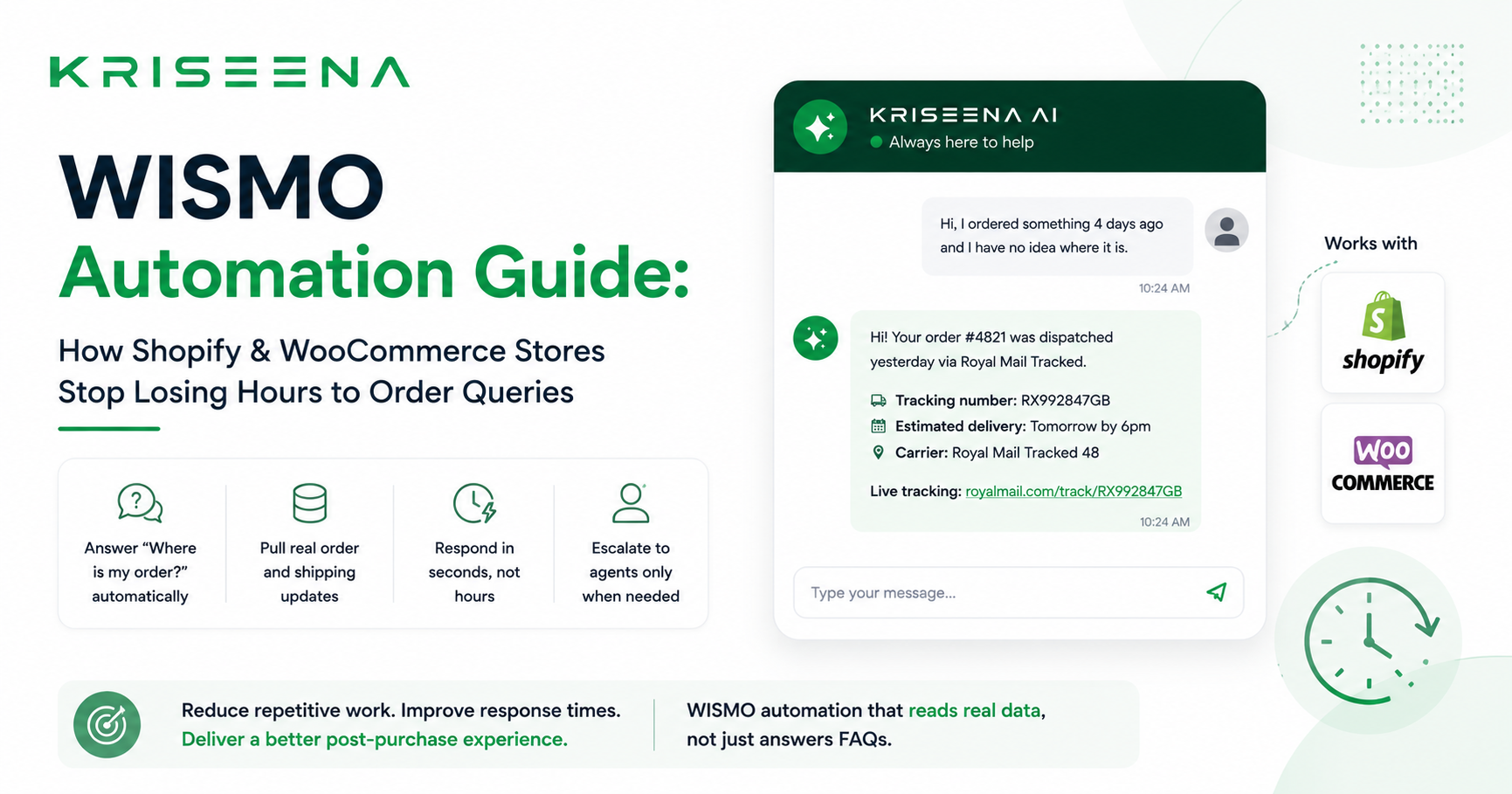
WISMO Automation Guide: How Shopify & WooCommerce Stores Stop Losing Hours to Order Queries
If you run an online store, you already know what WISMO means — even if you've never heard the acronym. "Where Is My Order?" is the single most common customer support query in e-commerce, accounting for 35 to 45 percent of all support contacts. Every day, customers email or chat asking for tracking updates, and every day, agents spend hours copying order numbers, switching tabs, finding tracking links, and pasting replies.
This guide covers what WISMO automation is, why it matters, and exactly how to implement it in a Shopify or WooCommerce store without writing a single line of code.
What Is WISMO?
WISMO stands for "Where Is My Order?" — the question customers ask when they are anxious about a purchase they have made and have not yet received. It is not a niche problem. Industry data consistently shows it represents the largest single category of support contacts for most e-commerce businesses, ahead of returns, product questions, and complaints.
WISMO queries are not a customer behaviour problem. They are a communication and visibility problem. The customer does not know where their order is because they were not told — or the information they were given was unclear, outdated, or buried in an email they cannot find.
Why WISMO Kills Small Support Teams
For large brands with dedicated logistics teams and automated tracking portals, WISMO is manageable. For small and mid-size e-commerce businesses, it is a time sink that scales directly with order volume.
Here is what happens without automation. A customer emails asking about order #4821. An agent opens the support tool, reads the message, opens Shopify or WooCommerce in another tab, searches for the order, finds the tracking number, opens the carrier website to check the status, copies the tracking number, switches back to the support tool, writes a reply, pastes the tracking number, and sends. That is 5 to 7 minutes per query. If you receive 50 WISMO queries per day — which is modest for a store doing 500 orders per month — that is four to six hours of agent time spent on one type of question.
At scale, this forces businesses to hire support staff not because their queries are complex, but because their volume is high. The work is simple, repetitive, and fully automatable.
What Is WISMO Automation?
WISMO automation means using software to answer "Where Is My Order?" queries without a human agent needing to touch them. A fully automated WISMO system can:
- Identify an incoming message as a tracking query
- Look up the customer's order using their email address or order number
- Retrieve live tracking status, tracking number, and estimated delivery date
- Compose and send a reply with the actual information — not a template
The key word is "live." Many chatbots offer scripted WISMO responses that tell customers to check their email or visit a tracking page. That is not automation — it is deflection. True WISMO automation reads your actual order data in real time and gives the customer a real answer.
How Kriseena Automates WISMO
Kriseena connects directly to your Shopify store via OAuth or your WooCommerce store via REST API. When a customer sends a message asking about their order, Kriseena:
- Classifies the message as a WISMO query using AI
- Searches your store for the order associated with that customer's email or order number
- Reads the fulfilment status, tracking number, carrier, and estimated delivery date
- Replies with the specific information — personalised to that customer's order
This happens in under 15 seconds, 24 hours a day, without any agent involvement for straightforward cases.
For edge cases — lost parcels, address disputes, damaged items — Kriseena drafts a response and flags it for agent review rather than sending something it is not confident about. You control the threshold.
Setting Up WISMO Automation on Shopify
Step 1: Connect your Shopify store In Kriseena, go to Dashboard → Integrations → Shopify → Connect. Enter your store URL and follow the OAuth flow. Kriseena installs with read access to your orders — no manual API token copying required.
Step 2: Add a WISMO knowledge base article Write a short article titled "Order tracking — what to tell customers when we can't find their order." This is the fallback Kriseena uses when an order cannot be identified. It ensures the AI always has something useful to say rather than leaving a customer without a response.
Step 3: Run in draft mode first Set Kriseena to draft mode for your first week. Every WISMO reply gets drafted and queued for agent approval before sending. Review the drafts to check accuracy, then switch to auto-send once you are satisfied.
Step 4: Add the chat widget to your Shopify theme Copy the widget snippet from Dashboard → Settings → Installation and paste it before the closing body tag in your Shopify theme. Your customers can now ask about orders directly from your site and receive instant automated replies.
Setting Up WISMO Automation on WooCommerce
Step 1: Create a REST API key In WordPress admin, go to WooCommerce → Settings → Advanced → REST API. Add a new key with Read permissions. Copy the Consumer Key and Consumer Secret.
Step 2: Connect in Kriseena Go to Dashboard → Integrations → WooCommerce → Connect. Paste your store URL, Consumer Key, and Consumer Secret. Kriseena verifies the connection live.
Step 3: Test with a real order In the Kriseena test chat, type "where is order #1234" (using a real order number from your store). You should see the AI return the actual order status and tracking information.
The Results You Can Expect
Businesses using Kriseena for WISMO automation typically see:
- 70 to 80 percent of WISMO queries handled automatically within the first two weeks
- Average reply time drop from 5 to 7 minutes to under 15 seconds
- Agent time freed up to handle complex queries, returns, and complaints — the work that actually needs a human
The remaining 20 to 30 percent are edge cases: orders that cannot be found by email alone, parcels marked as delivered but not received, international shipping complications. These are routed to agents as drafts, so nothing falls through the cracks.
Beyond WISMO: What Else Can Be Automated
Once your WISMO workflow is running, the next highest-volume categories to automate are returns and exchanges (15 to 20 percent of queries), product questions (8 to 12 percent), and basic account queries. All of these can be handled by Kriseena's knowledge base — no store connection required, just well-written articles covering your policies and products.
Summary
WISMO automation is the highest-ROI improvement most e-commerce businesses can make to their support operation. The queries are high volume, low complexity, and fully automatable with the right tool. Connecting Kriseena to Shopify or WooCommerce takes under 10 minutes and can remove 35 to 45 percent of your inbox volume within days.
Ready to automate your WISMO queries? Start a free 14-day trial at kriseena.com — no credit card required, Shopify and WooCommerce setup included.

Aswathi
Content Writer, Kriseena
Aswathi specialises in SaaS product content and customer experience topics. Her writing helps e-commerce founders and support managers understand how AI fits into their existing workflows.